
12May

How Virtual Dental Administration is Reshaping Modern Dentistry?

Walk into a dental practice, and the patient feels the pressure right away – not just in the treatment rooms, but at the front desk too. The staff is often inundated with appointments that need scheduling, insurance verification, claims submitted, and queries of patients answered. This adds to the operational challenges for many practices, leading to staff burnout, inefficiencies, and revenue loss. 

A virtual dental assistant as a helping hand here… There must be a reason that more and more dental practices are turning to remote dental administration support and hire a dental virtual assistant to handle time-intensive, non-clinical tasks. 

The strategic approach is aimed at improving the efficiency of a practice, reducing staffing costs, and ensuring optimal patient experience.


What Is Virtual Dental Administration?

illustration of Remote dental professional from virtual dental administration answering patient calls and managing inquiries

Virtual dental administration is the remote management of non-clinical operations of a dental practice. These include tasks that are too time-consuming to be handled by in-house staff. 

Common tasks delegated to virtual dental assistants include:  

  • Appointment scheduling and calendar management. 
  • Insurance verification and eligibility checks. 
  • Claims submission and follow-ups. 
  • Patient communication. 
  • Billing coordination and payment tracking. 
  • Data entry and record management. 

Since they are specifically hired for dental practices, these virtual assistants are required to be familiar with: 

  • Basic dental terminology. 
  • Insurance processes. 
  • Practice management software. 

Why Is Virtual Dental Administration Growing in Dentistry?

Remote dental virtual assistant scheduling patient appointments on a computer from a home office.

Hiring a virtual assistant for busy dental practice has become the new normal. This change is particularly driven by structural challenges within the industry. These include: 

→ Staffing Shortages

Most dental practices struggle with hiring and retaining skilled staff for front-desk operations. This is due to the high turnover of employees and the limited talent pool. 

→ Increase in Operational Costs

There is a separate set of expenses beyond salaries associated with hiring in-house staff. This includes training, benefits, workspace, and equipment. 

Virtual staffing has proved to be a cost-effective alternative.

→ Increased Administrative Workload

Administrative tasks such as insurance processes, compliance requirements, and patient communication demands have only gotten more complex in the wake of modern healthcare. 

This puts more administrative work on staff, pulling focus away from clinical tasks.

→ Shift Toward Digital Workflows 

As practices adopt digital tools for scheduling, billing, and communication, hiring online assistants often makes the most sense for managing these processes.

→ Demand for Efficiency and Scalability 

Virtual assistants for dental professionals are a practical solution to growing their practice without proportionally increasing operational costs.  


How Virtual Dental Administration Is Reshaping Modern Dentistry?

Professional virtual assistant showing screen communicating with virtual dental administration organizing appointments and administrative tasks for a dental office.

There are many ways virtual dental administration is contributing to making the operations of a dental practice more efficient. 

In fact, the remote professionals are not just replacing tasks; they are also changing how these clinics operate at a structural level. 

1. Decoupling Clinical and Administrative Functions

Traditional front-desk staff at a dental office is expected to handle multiple responsibilities – sometimes both clinical and non-clinical tasks – within the physical space. 

A virtual dental executive assistant is only meant to handle backend operations while clinical teams focus on patient care. 

2. Improving Operational Efficiency

Staff shortage is a universal problem in healthcare. Dedicating a remote team to administrative work only, such as insurance verification or schedule management, improves overall practice performance by ensuring: 

  • Faster turnaround times. 
  • Fewer errors. 
  • More consistent workflows. 

3. Extended Availability 

An online dental assistant offers an advantage in terms of operating across different time zones. This availability beyond office hours enables: 

  • After-hours appointment scheduling. 
  • Faster response to patient inquiries. 
  • Reduced backlog of administrative tasks. 

This helps foster a more responsive and accessible patient experience. 

4. Enhancing Patient Experience 

Patient satisfaction is key to a successful healthcare practice. Hiring virtual support ensures smooth functions within a dental practice, including: 

  • Consistent answering of calls. 
  • Efficient management of appointments. 
  • Prompt handling of billing queries. 

5. Supporting Revenue Cycle Management 

The RCM or revenue health of a dental practice depends on minimal or no errors in billing or payment processing. 

A virtual dental assistant helps maintain the standard by: 

  • Accurately verifying insurance. 
  • Submitting clean claims
  • Consistently following up on unpaid claims. 

Benefits of Remote Dental Administration for Your Dental Practice 

infographics about benefits of remote dental admin for your dental practice

A dental practice is only as good as its operational efficiency. Remote staffing is already proven to be more beneficial than in-house staffing in some aspects. Thus, the impact of virtual dental administration is most visible in its tangible benefits. 

1. Reduced Operational Costs

Choosing to hire any type of virtual assistant, a dental office saves on:

  • Salaries and benefits.
  • Office space and equipment.
  • Training and onboarding.

This practice allows better allocation of financial resources.

2. Increased Efficiency and Productivity

Having a dedicated remote support at a practice’s disposal is beneficial as:

  • Tasks are completed faster.
  • Staff workload is reduced.
  • Workflows become more streamlined.

3. Improved Accuracy in Billing and Claims

Experienced virtual dental assistants reduce errors in:

  • Insurance verification.
  • Coding and documentation.
  • Claims submission.

This leads to fewer denials and faster reimbursements. 

4. Scalability Without Added Strain

Practices rely on virtual support to scale operations as patient volume grows. This refers to expanding administrative capacity without physical constraints.

5. Reduced In-house Staff Burnout

Administrative overload is a major contributor to burnout among staff at a dental practice. 

By offloading repetitive tasks, they can:

  • Improve staff satisfaction.
  • Reduce turnover.
  • Maintain a more balanced work environment.

6. Better Focus on Patient Care

When administrative responsibilities are handled efficiently by remote dental assistants, dentists and clinical staff can dedicate more time to treatment and patient interaction.


The Future of Virtual Dental Administration

illustration of Remote dental professional answering patient calls and managing inquiries

With more and more healthcare practices turning toward hiring virtual support, it ought to become a standard component of modern dental practice management. However, the shift will not be void of future developments. These include: 

  • Greater integration with AI-driven scheduling and billing tools.
  • More specialized remote roles (e.g., insurance specialists, RCM experts).
  • Hybrid administrative models combining in-house and virtual teams.
  • Increased reliance on data analytics for operational decision-making.

As technology continues to evolve, the line between in-house and remote operations will become less distinct.


Bottom Line

illustration of Remote dental professional answering patient calls and managing inquiries

Virtual dental administration is no longer just a temporary solution to staffing challenges. It is evidence of a strategic shift in how dental practices operate.

By improving efficiency, reducing costs, and enhancing patient experience, it addresses some of the most pressing challenges in modern dentistry.

The practices that adapt early are not just solving today’s operational issues – they are building more flexible, scalable systems for the future.


a hand with periodontium

Administrative overload shouldn’t slow down your practice. And the clinical team should be focusing on care, not coordination. 

With your trusted remote staffing agency, Health & Virtuals, hire virtual dental assistants… Our talent pool has pre-vetted, highly qualified professionals trained in streamlining scheduling, billing, and patient communication for your clinic. 
10May

Virtual Recruiting | Pros, Cons & Best Practices!

Hiring has seen its biggest shift since the COVID-19 lockdown six years ago. The era of long waits for in-person interviews, unnecessary office visits and geographic limitations is over. In addition to hiring virtual support for their businesses, employers are now increasingly relying on more flexible hiring processes that include virtual recruiting methods such as remote interviews, digital assessments, and online onboarding. 

A report by the Society for Human Resource Management backs this shift with data that over 82% of employers have adopted virtual interviews for the hiring process, including sourcing to onboarding. While beneficial in many ways, there is a substantial set of challenges associated with it. Knowing about the both sides is key to building a recruitment strategy that actually works. 


What Is Virtual Recruiting?

Professional adapting to digital workflow showing good skills for a job and remote job skills in actionVirtual recruiting is a digital hiring process of hiring candidates for a business using online tools. It makes hiring easier for employers as it involves sourcing, screening, and evaluating candidates without in-person interaction. 

Candidates no longer have to wait in line for walk-in interviews, visit offices for assessments, and scour job fairs. Instead, they can hunt for a job as per their specialty from the comfort of their home, send application via online forms, and wait out for a response from the business. 

Common Virtual Recruiting Methods

The most common online recruiting methods include: 

  • Video interviews via Zoom, Meet, etc. 
  • Digital application forms. 
  • Virtual career fairs and hiring events. 
  • AI-based resume screening. 
  • Remote assessments and tests. 
  • Recruiting via social media ads. 

These methods have become the standard for recruiters to manage the entire hiring process remotely, only calling in the candidate in case of a final selection. 


Why Is Virtual Recruiting Becoming More Popular?

illustration image showing computer, watch, calendar, showing importance of remote working time management

Online recruitment is not just a trend. Instead, it is a response to evolving dynamics of a workplace that relies on an efficient mode of operations. 

The following factors are the biggest drivers of growth in virtual recruiting: 

→ Increase in Remote Work Opportunities

Companies are no longer limited to hiring within a specific location.  

→ Access to Global Talent 

With online recruiting and virtual opportunities, the organizations can reach candidates across regions and time zones without concern for geographic limitations.

→ Faster Hiring Cycles

Digital tools are an efficient way to reduce scheduling delays and manual processes of onboarding

→ Cost Efficiency 

A virtual hiring process is a great way to minimize commute difficulties & expenses on the candidate’s end. It also lifts administrative burden off the hiring staff. 

More importantly, virtual recruiting allows candidates flexibility, speed, and convenience. 


How Virtual Recruiting Works?

Resume and portfolio preparation highlighting job skills for resume and top skills for remote jobs

At its core, online recruiting of any type of virtual assistants is not much different from traditional hiring. It essentially involves the same steps, albeit executed digitally.

  1. Job posting and sourcing: Businesses advertise roles online through job boards and platforms such as LinkedIn.
  2. Application screening: Employers review applications with the help of automated tools.
  3. Virtual interviews: Candidates are assessed through video meeting platforms. 
  4. Skills evaluation: Online tests or assignments are prepared to measure the capability of a candidate.
  5. Final selection and offer: Once selected, candidates are presented with an offer via email.
  6. Digital onboarding: New hires are integrated into the organization virtually.

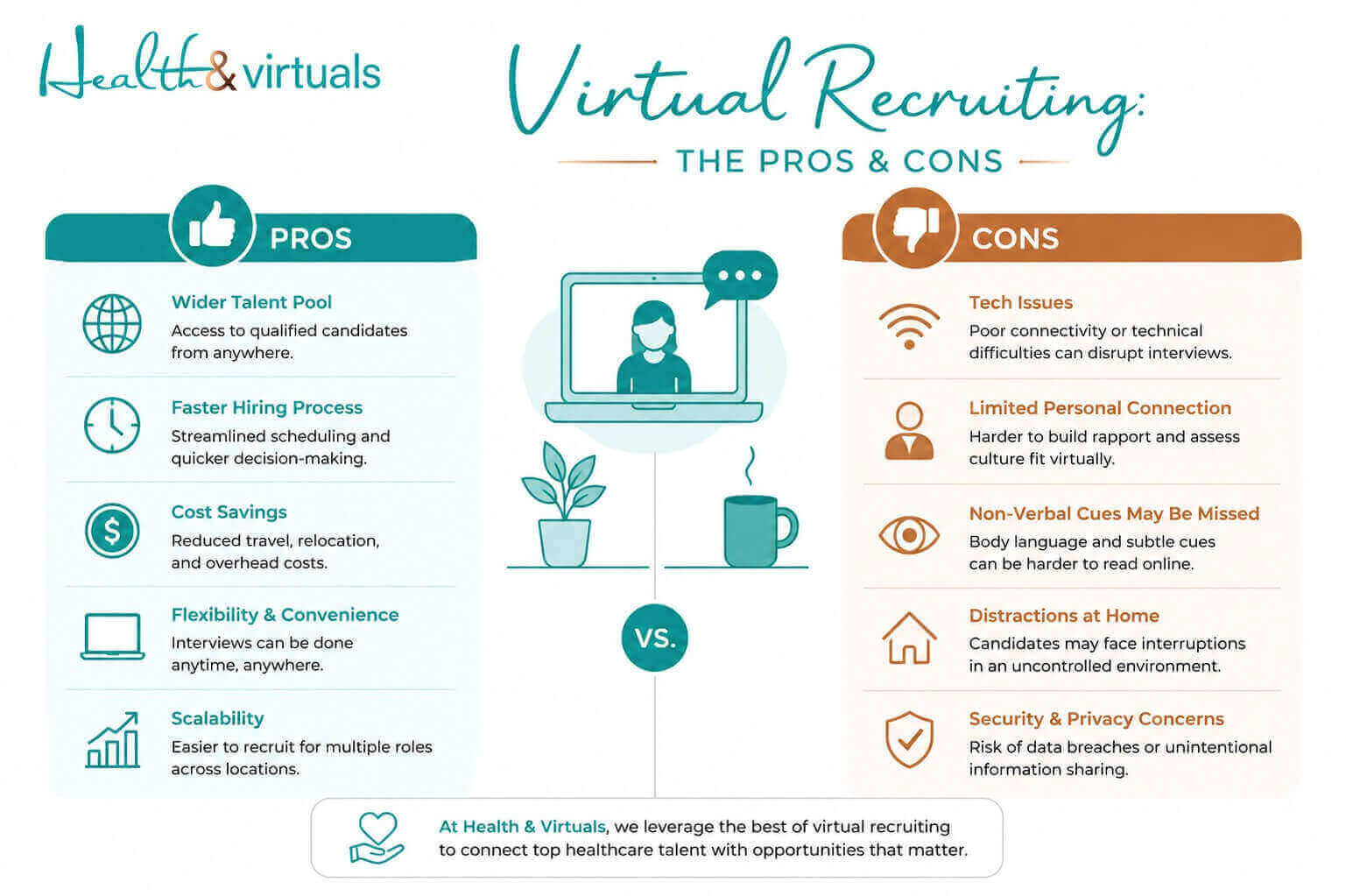
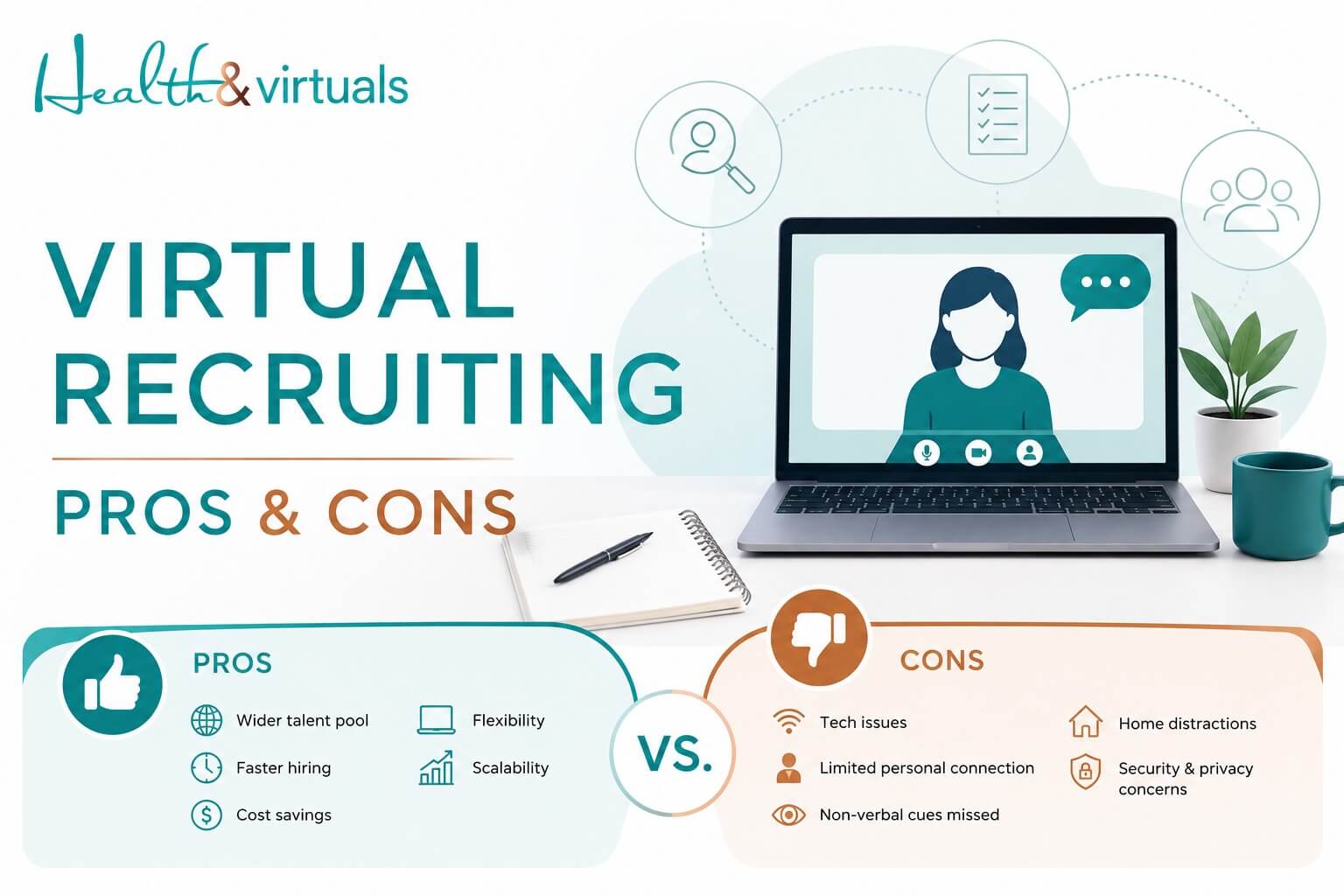
difference between pros and cons of online recruiting

Pros of Virtual Recruiting

Modern organizations are particularly tempted by virtual recruiting due to the number of benefits it offers, such as: 

1. Global Talent Acquisition

Recruiters are no longer limited by geography, allowing them to hire purely on the basis of talent regardless of location.

2. Faster Hiring Process

Digital exchange of documents as well as online interviews saves ample time for both the employer and the candidate.

3. Cost Savings

Organizations save on travel allowances, a designated office space, and event-related expenses for virtual candidates.

4. Increased Flexibility

It becomes easier to coordinate a convenient time for both recruiters and candidates to engage, improving participation and efficiency.

5. Scalability

Virtual processes make it easier to handle large volumes of applicants without significantly increasing resources.


Cons of Virtual Recruiting 

Despite its advantages, virtual recruiting strategies may fall short in a few areas. 

These may include: 

1. Limited Interaction

Virtual settings can make it harder to assess personality, communication style, and cultural fit for both employer and candidate.

2. Technology Dependence

The hiring process may experience disruption due to technical issues, including connectivity problems and platform limitations.

3. Candidate Engagement Challenges

Candidates may find it hard to maintain attention and engagement in virtual settings.

4. Risk of Miscommunication

Sometimes, interviews may not go as planned or be misinterpreted due to lack of non-verbal cues in virtual processes.

5. Potential Bias in Digital Tools

Organizations relying on AI-driven screening tools risk judging candidates on the basis of potential bias associated with them.


Best Practices for Virtual Recruiting 

illustration about the services provide by best recruitment agency

Differences between in-house recruiting and online hiring, or we can say pros outweigh the cons… So, virtual recruiting is here to stay. Thus, to make do with it in the most effective way, organizations need to move beyond basic implementation and focus on strategy.

→ Standardize the Process

Hospital, businesses, & organizations should aim to create a structured virtual recruitment workflow to ensure consistency across candidates.

→ Use the Right Mix of Tools

Instead of choosing one digital software and sticking with it for all hiring-related processes, they could combine video interviews, assessments, and communication platforms to create a balanced evaluation.

→ Prioritize Candidate Experience

To make sure candidates are loyally aligned to their potential future workplace, organizations must rely on clear communication, timely updates, and smooth scheduling during the recruitment process.

→ Train Hiring Teams

Recruiters and managers should be trained to evaluate candidates effectively in a virtual setting.

→ Maintain Human Connection

Even in a digital process, personalized interaction is key to building trust and engagement.


Tools Used in Virtual Recruiting

An effective virtual hiring process involves the use of multiple digital tools for different stages. These include: 

  • Zoom: for live interviews.
  • Microsoft Teams: for communication and interviews.
  • LinkedIn: for sourcing candidates.
  • Google Forms: for managing applications.

What Industries Benefit Most from Virtual Recruiting?

Virtual recruiting is particularly effective in industries where work can afford a smooth transition to remote or digital, such as: 

  • Technology and software development.
  • Digital marketing and media.
  • Customer support and virtual services.
  • Healthcare administration and virtual assistance.
  • Wellness, Chiropractic & Dental practices.
  • Finance and consulting.

These industries benefit from faster hiring cycles and access to global talent pools.


Future of Virtual Recruiting

illustartion of a job recruiter acting as headhunter to connect talent with jobs

As the future of work is likely to be hybrid, virtual recruiting is expected to continue evolving alongside in-person interactions. 

Future remote hiring strategies may include:

→ Greater use of AI in candidate screening.

→ More immersive virtual interview environments.

→ Enhanced data-driven hiring decisions.

→ Increased focus on remote-first workforce strategies.

Virtual recruiting has the power to streamline hiring. However, it requires strong backing by the right talent and process. With Health & Virtuals, a trusted virtual assistant recruitment agency, you can access pre-vetted professionals and end-to-end hiring support to build a more efficient, scalable workforce.


Hire your Virtual Staff, NOW!


FAQs

What is virtual recruiting?

Virtual recruiting is an online hiring process. Virtual hiring is the process of sourcing, screening, and hiring candidates using digital tools in lieu of in-person interactions.

What are the benefits of virtual recruitment?

Main benefit of online hrirng reduces hiring costs. Also the virtual hiring process is faster than convcentional hiring process and expands access to global talent acquisition.

Is virtual recruiting effective? 

Yes, virtual recruiting is effective, given it is supported by the right tools and processes. It enables efficient hiring without compromising candidate quality.

06May

Legal Assistant vs Paralegal | Key Differences and Similarities!

In the current context of law firms, efficiency, cost management and client responsiveness are essential for the success of law firms. With more legal work and customers insisting on shorter turnaround times, the position of support professionals has been more strategic than ever before. 

Legal assistants and paralegals are two of the most widely misperceived jobs in this ecosystem.

The employment of paralegals and legal assistants is projected to increase by 4 percent between 2022 and 2032, which indicates that the demand for paralegals and legal assistants remains consistent.

Although it is common to interchange the terms legal assistant and paralegal, there is a difference between paralegal and legal assistant.


What is a Legal Assistant?

Legal assistant organizing documents, scheduling appointments, and managing administrative tasks in a law firm office

A legal assistant tends to perform the administrative and organizational aspects that contribute or add to the daily running of a law firm. Their role is such that attorneys are able to devote substantial time to the substantive work of law.

On-site or virtual legal assistants can frequently be the cornerstone of efficiency in the office. Their roles can be schedule management, document preparation, and interaction with clients.

Key responsibilities include:

  • Composing the routine letters and preparing legal papers.
  • Making appointments, dates with the court, and appointments with clients.
  • Case files and arranging documentation.
  • Addressing billing, invoicing, and time tracking.
  • Staying in touch with the clients to update them and send them follow-ups.
  • Submission of information to the courts both via computers and through other means.

The role of substantive legal analysis is not normally the responsibility of legal assistants. They are rather concerned with administrative accuracy and work organization.

The small firms can allow the legal assistants to wear various hats, which will include administrative support as well as performing simple legal assistant tasks. Nevertheless, the essence of work is not analytical but rather operational.


What Is a Paralegal Assistant?

Paralegal reviewing case files, drafting legal documents, and assisting attorneys with legal research and preparationA paralegal is a legal professional who carries out more specialized legal work, supervised by an attorney. Their work is more analytical and is directly related to the preparation of cases and the legal strategy.



An on-site or a virtual assistant paralegal is also trained to do jobs that demand further insight into legal procedures and records.

Key responsibilities include:

  • Legal research; Legal databases and case law sources.
  • Composing pleadings, contracts & legal briefs.
  • Helping in the preparation of trials such as organizing the evidence.
  • Interviewing clients and witnesses.
  • Concision of depositions and findings of cases.
  • Discovery processes and document review.

The National Federation of Paralegal Associations states that a paralegal helps in minimising legal fees through the delegation of complex but not billable work to the paralegal.

Formal education or certification, such as an associate’s or bachelor’s degree in paralegal studies are often required of paralegals. They are more directly engaged in the legal results than legal assistants.


Assistant vs Paralegal: What’s the Main Difference?

On a more practical level, the distinction is reduced to the contribution to the functions and value.

→ Nature of Work

Legal assistants concentrate on the administration (maybe as a virtual executive assistant specialized in legal tasks) and operation of the law office so that it runs efficiently. 

Paralegal legal assistants, on the other hand, perform substantive legal work to have a direct contribution to case preparation and results.

→ Billing and Revenue Contribution

In many cases, paralegal work can be billed to clients, and thus, it is a revenue-generating activity of a firm. 

Duties of legal assistants are not generally billable and are generally regarded as internal operational expenses.

→ Level of Training and Expertise

The paralegals tend to be educated or certified in the study of law, guaranteeing that the paralegals possess technical knowledge. 

Legal assistants can also come to the occupation with administrative experience and train on the job, learning the legal processes.

→ Case Development

The paralegal virtual assistants play a crucial role in case building by means of research, drafting, and processing evidence. 

The work of legal assistants helps to facilitate the process indirectly, through controlling documentation, scheduling, and communication.


Similarities Between Legal Assistant and Paralegal

→ Under Attorney Supervision of Work

Legal assistants, as well as paralegal assistants, work under the guidance of lawyers who have been licensed. Their services do not override the power or duty of a lawyer but are used in support of the legal services.

→ Strong Organizational Skills

Both positions demand good organizational skills to coordinate documents, deadlines and information related to cases. Time-saving in managing multiple tasks is a critical need in the legal settings that are fast-paced.

→ Participation in Case Management

Legal assistants and paralegals also assist in ensuring and updating the files on cases. Although the extent of their action varies, both are involved in ensuring that cases are organized and moving.

→ Professional Ethics and Confidentiality

The confidentiality of the details of clients is one of the primary tasks in both positions. It is of utmost importance in legal practice to keep confidential information and rely on ethical standards.

→ Use of Legal Technology

Both practitioners are increasingly using legal software, document management software, and e-filing software. Exposure to technology has become a common need in both positions.


Do Law Firms Need Both Legal Assistants and Paralegals?

Lawyers working with legal assistants and paralegals in a collaborative law firm environment managing cases and documents

To most firms, the answer is yes – but it has been decided by size, caseload, and specialization.

Mid-sized firms and large firms usually utilize both positions since they are complementary to one another. The best virtual legal assistants take care of scheduling, communication, and administrative tasks, whereas paralegals are engaged in research, drafting and preparing cases.

This division of labor would make sure that:

  • Lawyers charge as many hours as possible.
  • Paralegals specialise in revenue-generating work.
  • Legal processes are not hampered by administrative activities.

Smaller firms, however, might not have the finances to fund both positions. Usually, hybrid professionals or outsourced services are employed in such cases.

This change is reflected by the emergence of legal process outsourcing (LPO) by hiring legal assistant staffing agencies. A Grand View Research report predicts that the overall LPO market worldwide will grow to reach an estimated 35.9 billion dollars by 2027, owing to the demand for cheaper yet quality legal services provided by legal assistant agencies.


What Is the Right Role for Your Law Firm | Paralegal vs Legal Assistant?

Illustration showing performance efficiency of hiring virtual legal assistant services for law firms compared to in-house staff

The decision to either hire a virtual legal assistant or a paralegal depends on a clear understanding of gaps in operational activities in your firm.

→ Select a legal assistant in case you need:

  • Management of workflow and improved organization.
  • Scheduling, billing and administrative coordination assistance.
  • Better communication with clients and improved intake procedures.
  • Sponsorship of daily document management.

Legal assistants as virtual staff come in perfectly when productivity is crippled by inefficiencies in administration.

→ Select a paralegal if you require:

  • Support in legal research and drafting.
  • Assistance with litigation and trial preparation
  • Assistance with the complex cases and discovery procedures.
  • An efficient means of assigning substantive legal tasks at a cost-effective rate.

Paralegals would be most suitable in a firm with a large volume or cases of high complexity.

A compromising strategy is the best in most instances; a combination of both positions offers the best payoff on investment.


Build a Smarter Legal Team with Health & Virtuals!

Illustration of legal virtual assistant managing work increasing increasing ROI

The change towards remote work has created new prospects where law firms can streamline their staffing model. 

With virtual legal assistant support providers Health & Virtuals, access to trained law firm legal assistants and paralegals is possible without the cost of hiring someone internally.

With the legal industry increasingly becoming technologically driven, you can get your law firm work done at a fraction of the cost with remote legal assistants. They show more cost-saving & productivity compared to in-house staff. 


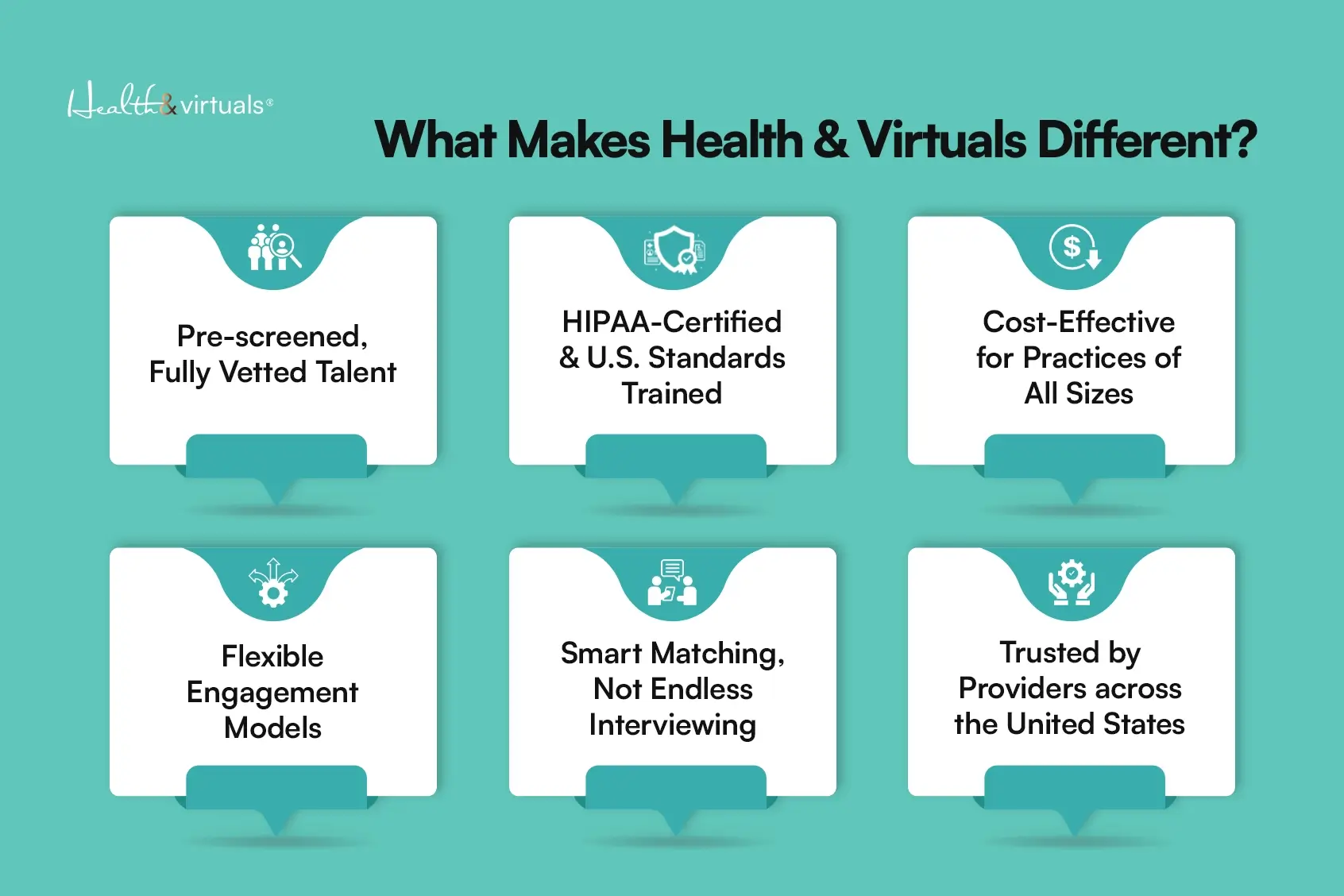
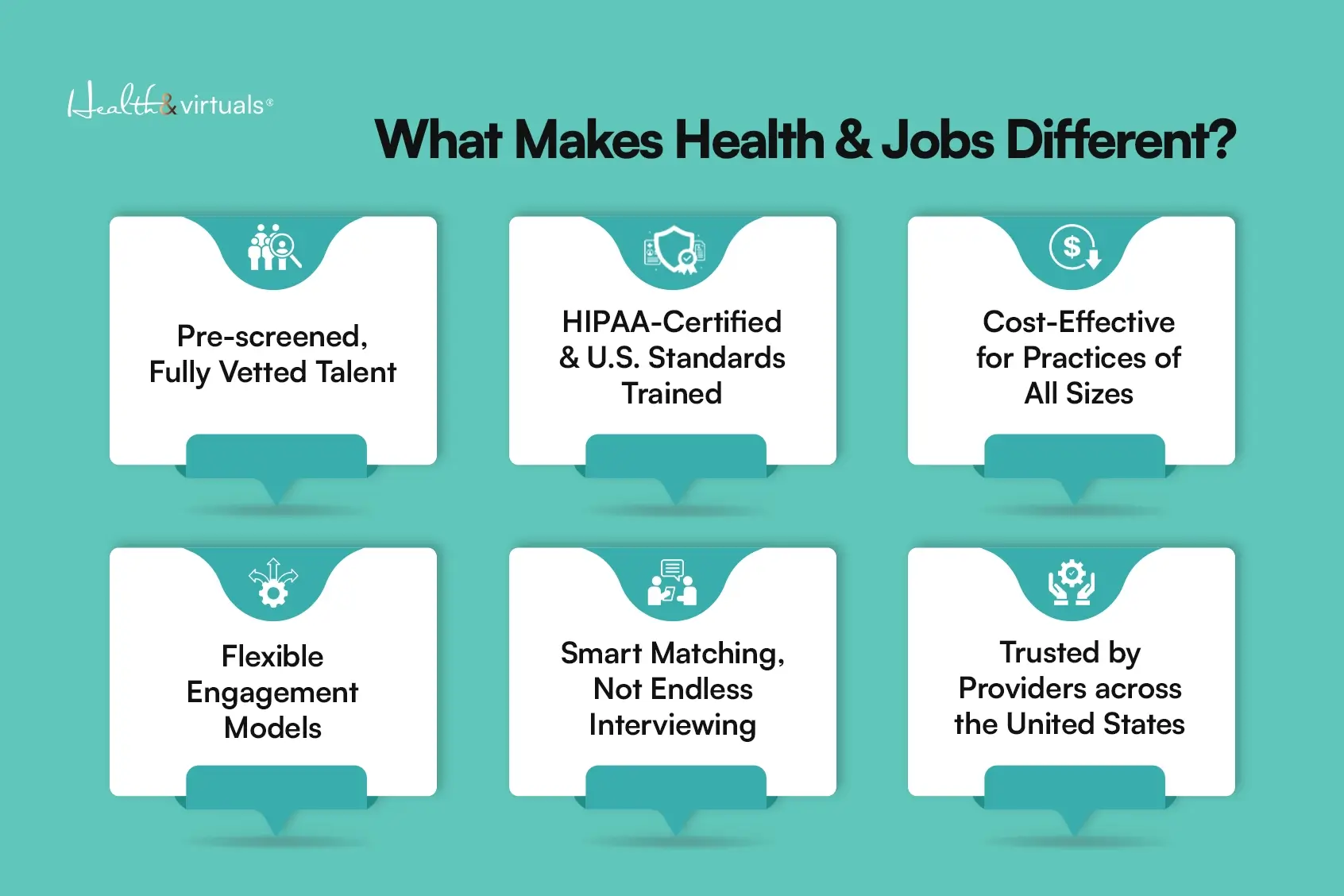
Why Hire Virtual Staff With Health & Virtuals?

what makes health and virtuals different copy (1)

Hire the best virtual legal assistant or paralegal services with Health & Virtuals…

Get your personalized quote. Contact here!


FAQs

What is the greatest difference between a legal assistant and a paralegal?

The major distinction is like their work. Legal assistants are concerned with administration and paralegals are concerned with substantive legal work, including research, drafting and the preparation of cases.

What is the effect of hiring a virtual legal team in terms of improving productivity?

Virtual teams enable companies to outsource administrative and legal services effectively, minimize expenditures in overhead, and be flexible. This will allow the attorneys to concentrate on the high-value, billable work.

Is it necessary to hire a legal assistant or a paralegal by a law firm?

It is a decision that will be based on the needs of your firm. A legal assistant would be the appropriate option in case the problem is administrative inefficiencies. A paralegal is better suited in case your firm needs some assistance with legal investigations and case development. The use of both is beneficial to many firms.


04May

Cost of Onboarding a New Employee & How to Reduce It?

Onboarding of employees is no longer a mere orientation. It is a multi-level investment, which is organized and has a direct effect on productivity, retention, and business performance in the long run. However, although it is an important aspect, most organizations do not optimize or measure the costs of onboarding.

Despite its critical role in building strong, efficient teams, many businesses still fail to measure or optimize onboarding expenses. This lack of clarity can lead to unnecessary spending, slower ramp-up times, and reduced overall ROI on new hires. 


How Much Does It Cost to Onboard a New Employee?

orientation concept illustrating introduction to company culture policies ,hiring cot and employee costOnboarding cost is the total of all onboarding expenses that are incurred to acclimate a new employee into an organization until he or she becomes fully productive.



There are wide industry standards that can be determined by the size of a company and the complexity of its roles. The cost of onboarding is about 4,000 USD on average per employee, according to data provided by SHRM. Nonetheless, this figure usually indicates direct expenses only.

Considering broader factors:

This broad spectrum points to an important aspect: the employee cost is not a constant, but it grows with the complexity, industry & process efficiency.


What are the Stages of Onboarding Employees?

employee onboarding cost concept with icons representing hiring training productivity, onboarding expenses, staffing efficiency and business expenses

Onboarding is a process and not an event, as it involves many stages and costs are involved in every stage.

→ Preboarding

This phase starts once the offer is accepted, and involves documentation, communication and system setup. Although it might look administrative, time wastage in this case can cause inefficiencies in the future, which add time and cost.

→ Orientation

Orientation will familiarize the employees with company policies, culture and expectations. It is more resource-intensive than it seems since it is usually the work of HR teams and leadership.

→ Role Integration and Training

The stage is the most expensive. Workers have to study tools, work processes, and duties. In the process their productivity is minimal as the experienced team members spend time in mentoring and overseeing.

→ Performance Ramp-Up

Employees need time to achieve optimal productivity even after initial training. Gallup states that a small percentage of employees strongly believe that their organization is doing a great job at onboarding, indicating that many organizations do not maximize this process.


Cost Breakdown of Onboarding a New Employee 

Cost Component What It Includes Impact on Business
Recruitment Costs Job ads, recruiter fees, interviews, screening High upfront hiring expense
Training Costs Orientation, training sessions, learning materials Time + resource intensive
Manager & HR Time Supervising, onboarding support, follow-ups Reduces productivity of senior staff
Tools & Software Setup Licenses, systems, accounts, hardware One-time + recurring costs
Productivity Loss Reduced output during learning phase Hidden but significant cost
Administrative Overhead Documentation, compliance, onboarding paperwork Ongoing HR workload
Turnover-Related Costs Rehiring if employee leaves early Increases long-term hiring expenses

How to Calculate Onboarding Costs?

Businesses should incorporate direct and indirect elements to compute onboarding costs.

Basic Formula:

The Cost of Onboarding = Direct Costs + Indirect Costs.

→ Direct Costs include:

  • HR salaries and time of administration.
  • Training programs and software.
  • Space and equipment set up.

→ Indirect Costs include:

  • Manager and team time.
  • Wastage of productivity in ramp-up.
  • Mistakes and re-work of untrained workers.

In fact, the involvement of a manager’s time alone can cost $4,000-12,000 per hire.


Onboarding Cost vs Cost-per-Hire

concept image og a company saying we are hiring

Onboarding cost and cost-per-hire are used interchangeably, but they are two measures of the hiring process.

  1. Cost-per-hire encompasses the costs incurred during the attraction and recruitment process of candidates, including advertising, recruiter fees, and interview time. 
  2. Onboarding cost starts once hired and deals with integration and productivity.

This difference is significant since a decreased cost of recruitment does not necessarily lead to a general reduction in costs. In case onboarding is not efficient, the organization can lose even more money due to low productivity or early turnover.

When both metrics are considered, it will be a clearer picture of the amount of investment that will be needed to attract and retain talent.


Why Is Onboarding So Expensive?

Illustration of Healthcare virtual assistant managing patient appointments and medical scheduling system

Onboarding is costly as it involves a combination of cost drivers throughout the organization.

1. Productivity Gap

New workers require time to achieve maximum efficiency. The output is reduced during this period and this has a direct effect on the performance of the business.

2. Resource Allocation

Training and supporting new employees consumes a lot of time for the managers and team members. This causes a diversion of main duties and constitutes opportunity costs.

3. Tools and Infrastructure

Making systems, software and equipment available contributes to onboarding costs, particularly in larger organizations.

4. Early Turnover Risk

The high turnover rate among employees is caused by poor onboarding experiences, resulting in a significant percentage of turnover within the first few months. Research has shown that as many as 20 percent of the turnover is during the first 45 days.


Onboarding’s Hidden Costs

In addition to the apparent cost of recruiting, onboarding has a number of hidden costs that have a great effect on budgets.

→ Lost Productivity: Employees can also take months to be fully operational, postponing ROI.

→ Managerial Bandwidth: Old employees lose time for strategic work in order to accommodate the new recruits.

Cultural Misalignment: Ineffective onboarding may result in a lack of engagement and performance.

Early Turnover: It can cost 16%-20% of the salary of an employee to replace an employee.

Manual Processes Inefficiencies: Delays in administration and irregular workflow raise the costs of operation.

This can be attributed to these latent factors, which may consume 60-70 percent of the overall hiring and onboarding cost breakdown.


Best Ways to Bring Down Onboarding Costs Without Cutting Corners

HR team training a new employee during onboarding session in corporate office environment

Cost of onboarding reduction is not a matter of under-investment but rather efficiency and waste reduction.

→ Standardization 

Standardization is one of the most effective methods. With a well-defined and well-implemented onboarding process, organizations minimize variability and prevent avoidable delays. 

The same support is provided to employees and teams do not take as much time to reinvent workflows.

→ Automation

Automation is also a very important factor. Digital tools can help in streamlining such administrative tasks as document collection, system provisioning, and scheduling. This saves on manual work and enables the HR teams to concentrate on more strategic tasks.

→ Preboarding

Preboarding is another important aspect. It is better to engage employees before the first day so that they can begin with clarity and confidence. It reduces the time of adjustment and enhances productivity.

→ Structured Training Programs

Also relevant will be investing in structured training programs. Although it might appear as an extra expense, in many cases, cost of training employees saves on costs in the long-term by enhancing efficiency and decreasing mistakes. 

According to research, successful onboarding can enhance employee retention (up to 82) and productivity (over 70).

This is not about saving money, but being smarter with the money.


How Does Virtual Staffing Reduce Onboarding Costs?

Chiropractic patient receiving follow-up reminder call from virtual assistant

Remote working has also provided new avenues to save on hiring costs. The model of virtual staffing is more flexible and cost-efficient, in particular.

Among the short-term benefits of remote hiring are the decrease in infrastructure costs. Businesses no longer have to spend a lot of money on physical office space, equipment, or utilities for each new employee.

Onboarding processes are also more easily scalable because they’re virtual. Digital tools allow organisations to hire several employees at a time without a huge increase in expenses. 

It is possible to standardize training materials and deliver them online, avoiding repetitive manual training to increase staffing efficiency.


What Do Businesses Gain by Reducing Onboarding Costs?

The benefits of managing the average cost of onboarding a new employee go much beyond short-term savings. This enhances business efficiency because lean processes help reduce delays and wastage of resources within a business.

Another significant benefit is quicker time-to-productivity. Onboarded employees can start contributing value sooner, which enhances the overall return on investment.

Retention also improves. When an onboarding experience is well organized, it will establish a closer bond between the employees and the organization, which will lower the chances of employees leaving their jobs prematurely.

Finally, the cutting of onboarding expenses is not simply a financial affair. It is a strategic step that enhances the performance of the workforce and helps to contribute to the long-term development.


Conclusion

One of the least considered business costs and performance drivers is onboarding. Although it might seem to be a run-of-the-mill procedure, its effect is directly related to productivity, retention, and profitability.

Companies that invest time to learn and streamline onboarding expenses are set to grow in the long term. Standardization of processes, capitalizing on technology and paying attention to employee experience can help businesses save a lot of money without compromising.

Do you want to cut your onboarding cost? It is time to review your organization’s strategy of onboarding. 


With Health & Virtuals, you gain access to fully trained, pre-vetted remote professionals trained in our U.S standard digital training institute who are ready to integrate seamlessly into your workflow from day one. 

No long training curves, no excessive HR workload, and no productivity compromises & delays.

Our virtual talent is equipped to step in immediately… helping you reduce onboarding expenses, eliminate inefficiencies, and improve operational output from the very start.

Build stronger teams faster, scale smarter, choose the right VA for your business, and improve ROI with virtual hiring instantly with Health & Virtuals — where trained remote professionals are ready when you are…

Contact Now, for more details!

02May

Benefits of Hiring a Virtual Medical Billing Assistant for Your Practice!

Medical billing remains one of the most critical functions within a healthcare practice, and thus often the most strained. A patient may receive the best care if the financial health of a clinic is optimal. 

There are many factors that impact the revenue of a medical practice, such as errors in billing, delayed submissions, and inefficient follow-ups. Studies suggest that up to 80% of medical bills contain errors, leading to claim denial rates that can range between 5% to 10% or even higher, depending on the practice and specialty. 

Meanwhile, administrative tasks continue to account for a substantial portion of operational costs in healthcare. A landmark study for the United States and Canada found that administrative costs for healthcare providers and insurance companies have exceeded $812 billion per year. It is obviously much higher than in countries with simplified, single-payer systems. 

This persistent dilemma has led many practices to turn to a cost-effective solution, which is to hire a virtual medical billing assistant instead of solely relying on in-house teams.


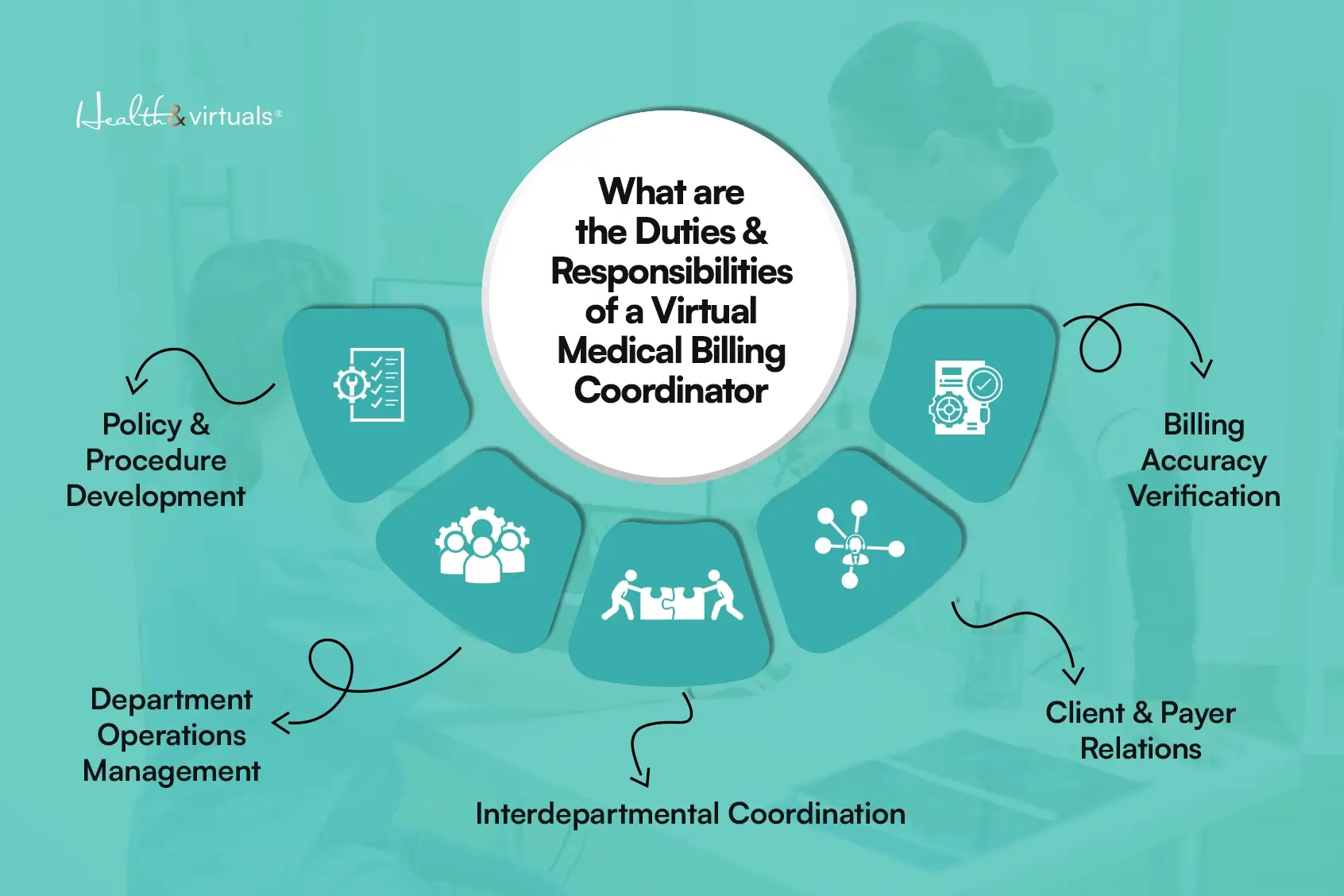
Who is your Virtual Medical Billing Coordinator?

What-are-the-Duties-Responsibilities-of-a-Virtual-Medical-Billing-Coordinator-copy A virtual medical billing coordinator is a remote professional trained to handle billing and revenue cycle management tasks for healthcare providers. 

They are meant to improve efficiency, accuracy, and overall revenue performance of a medical practice by assuming the following responsibilities: 

  • Claim submission and follow-ups. 
  • Insurance verification. 
  • Payment posting and reconciliation. 
  • Denial management and appeals. 
  • Maintaining accurate billing records. 

Despite operating remotely, a virtual medical billing assistant integrates into the clinic’s existing systems and workflows due to the administrative nature of their jobs.


Why Practices Are Moving Toward Virtual Billing?

Key Challenges the US Healthcare Facing Today!

The rising trend of shift toward virtual billing in healthcare did not come out of the blue. Instead, it is a product of persistent operational pressure with a direct effect on a practice’s revenue cycle. 

Industry analyses already stated that outsourcing your revenue cycle management can reduce operational costs by 30% to 40%, depending on practice size and specialty. 

Healthcare practices today face: 

  • Increasing patient volumes. 
  • Complex insurance requirements. 
  • Rising administrative costs. 
  • Staffing shortages. 

Relying on an in-house team to manage billing is often a recipe for disaster due to limited resources. 

Virtual medical billing presents itself as a reliable alternative, via which practices can: 

  • Reduce internal workload. 
  • Access specialized expertise. 
  • Maintain consistency. 

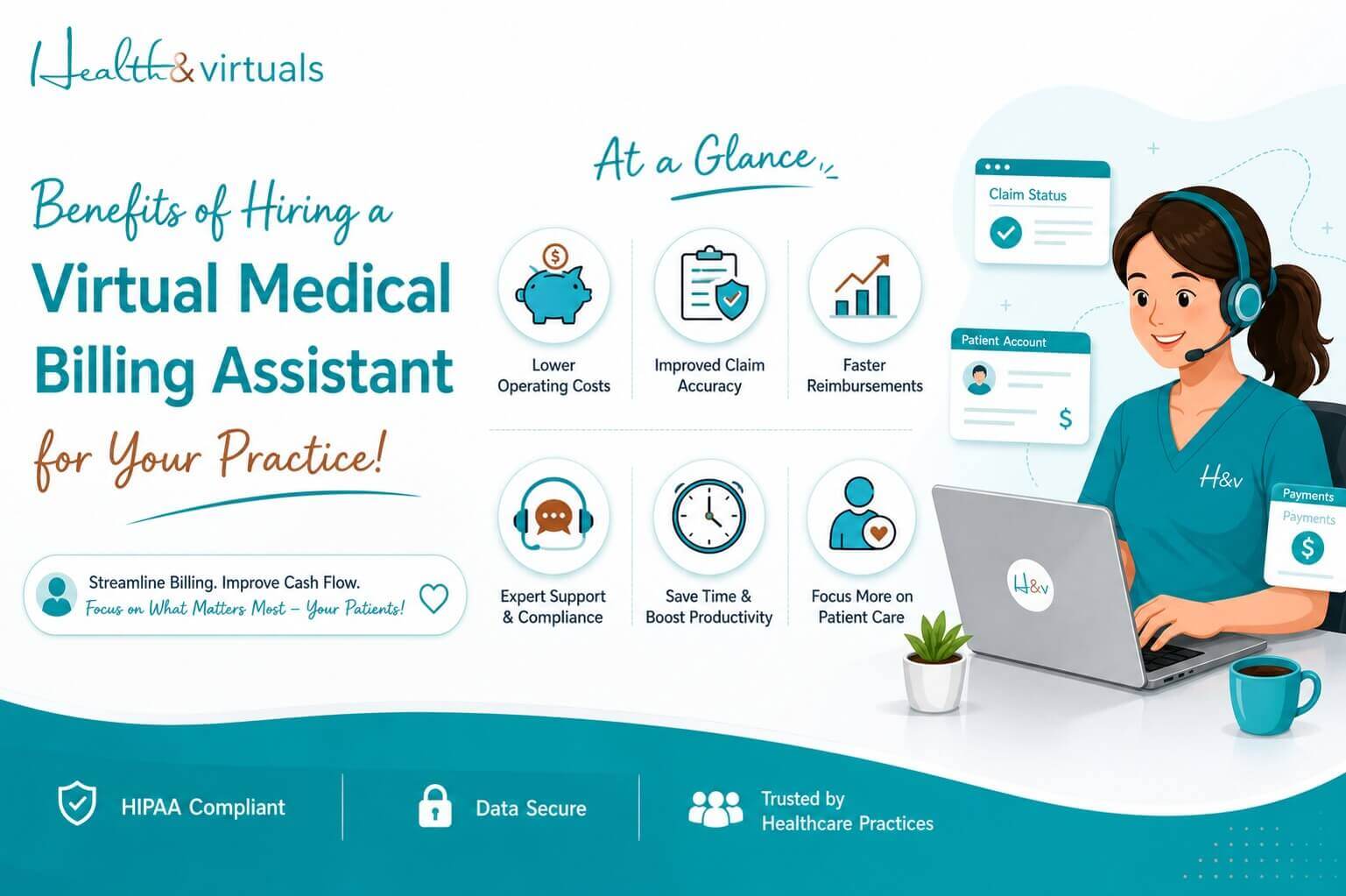
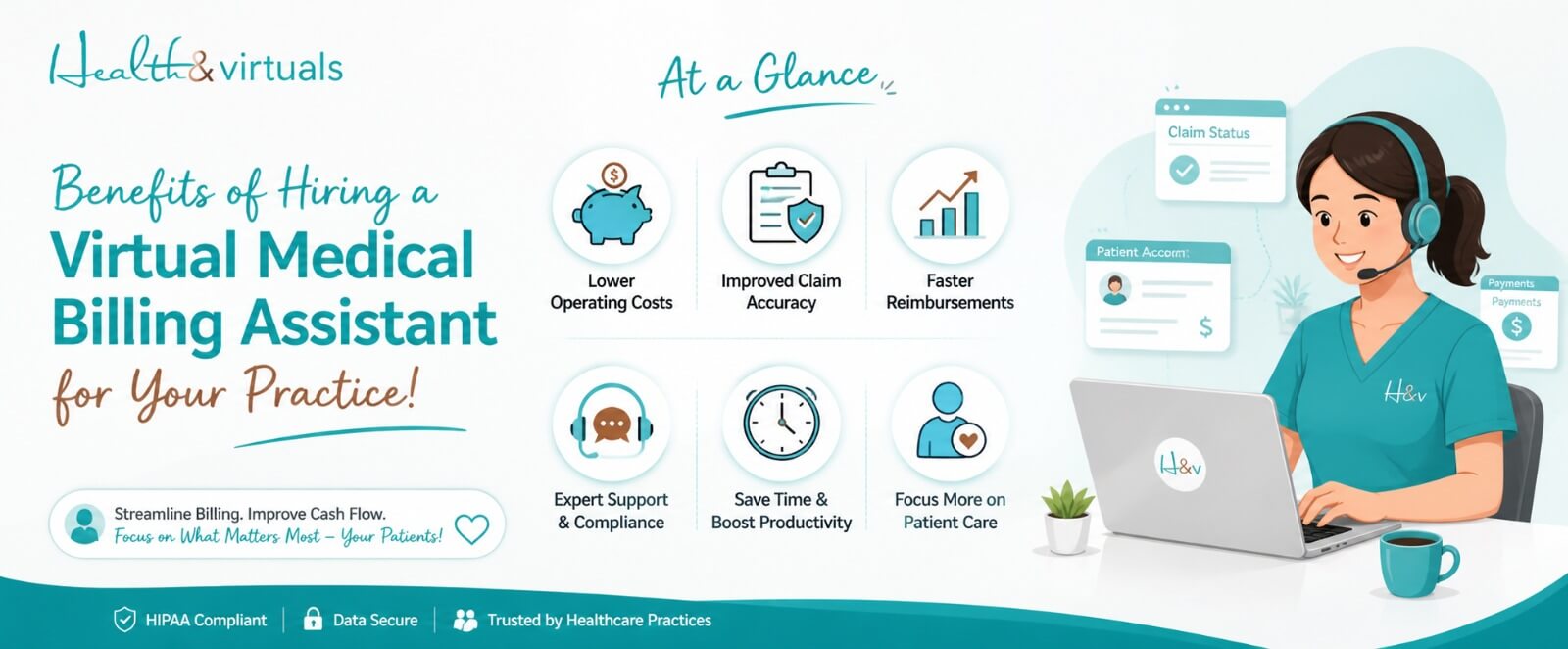
What are the Benefits of Hiring a Virtual Medical Billing Coordinator?

infographics about Benefits of Hiring a Virtual Medical Billing Assistant for Your Practice!

There are endless benefits to hiring a virtual medical billing assistant for a healthcare practice. 

One of the key benefits is that outsourcing administrative work as sophisticated as billing allows clinics to focus on patient care while ensuring that revenue cycle management remains efficient and uninterrupted.

Other benefits include: 

1. Reduced Operational Costs

If a practice opts for hiring in-house staff to oversee billing, they are looking at multiple additional expenses. These include salaries, benefits, training, office space, and equipment.

A virtual assistant eliminates many of these overhead costs. They only require reimbursement for the service they provide – without the financial burden of maintaining a full-time, on-site employee. This makes it a cost-effective solution, maximizing your ROI, especially for small to mid-sized practices.

2. Improved Billing Accuracy

Billing errors are one of the leading causes of claim denials and revenue loss. Virtual medical billing assistants are typically well-versed in coding standards, payer requirements, and claim submission processes. 

Their focused expertise reduces:

  • Coding errors.
  • Incorrect claim submissions.
  • Documentation inconsistencies.

3. Faster Claim Processing and Payments

To maintain a steady cash flow of a medical practice, it is pertinent to timely submit claims and Timely claim submission and follow-ups. 

Virtual billing assistants ensure:

  • Claims are submitted promptly.
  • Follow-ups are conducted consistently.
  • Outstanding payments are tracked and addressed.

This reduces delays in reimbursement and improves the overall financial cycle of the practice.

4. Effective Denial Management

In case of denied claims, the financial health of a clinic is significantly affected. Moreover, it also increases the workload on the administrative team. 

Hiring a virtual medical billing coordinator helps reduce denial rates and improve approval outcomes by: 

  • Identifying root causes.
  • Correcting errors.
  • Resubmitting claims with proper documentation.

5. Increased Time for Patient Care

Due to the work demand of administrative tasks, healthcare practices may end up compromising on patient care. Delegating billing responsibilities to a virtual medical assistant, in-house teams are able to: 

  • Focus on patient interaction.
  • Improve service quality.
  • Reduce administrative stress.

This shift improves both patient experience and staff productivity.

6. Scalability and Flexibility

Virtual medical billing coordinators offer scalability in terms of their services due to the remote nature of their jobs, thus offering an exceptional advantage to employers. 

A healthcare practice may scale its services based on:

  • Patient volume.
  • Billing complexity.
  • Practice growth.

7. Access to Specialized Expertise

Billing regulations, coding updates, and insurance policies are constantly evolving.

The nature of their roles equips virtual billing professionals to stay updated with industry regulations, coding standards, and payer-specific requirements without requiring additional training.

8. Better Revenue Cycle Management

All of these benefits come together to generate a stronger revenue cycle. With improved accuracy, faster processing, and consistent follow-ups, practices experience:

  • More predictable cash flow.
  • Reduced revenue leakage.
  • Better financial stability.

When to Hire a Right Virtual Medical Billing Assistant?

Virtual scheduler can improve patient experience and reduce doctors burden through easy appointment booking

There are certain signs that may force a healthcare practice to consider hiring a virtual medical billing assistant. These include:

  • Increase in claim denials.
  • Delays in payments.
  • Overwhelmed staff. 
  • Frequent errors in coding or submissions.
  • Rising administrative costs.

These indicators suggest that the medical billing system of a clinic is under strain and needs support.


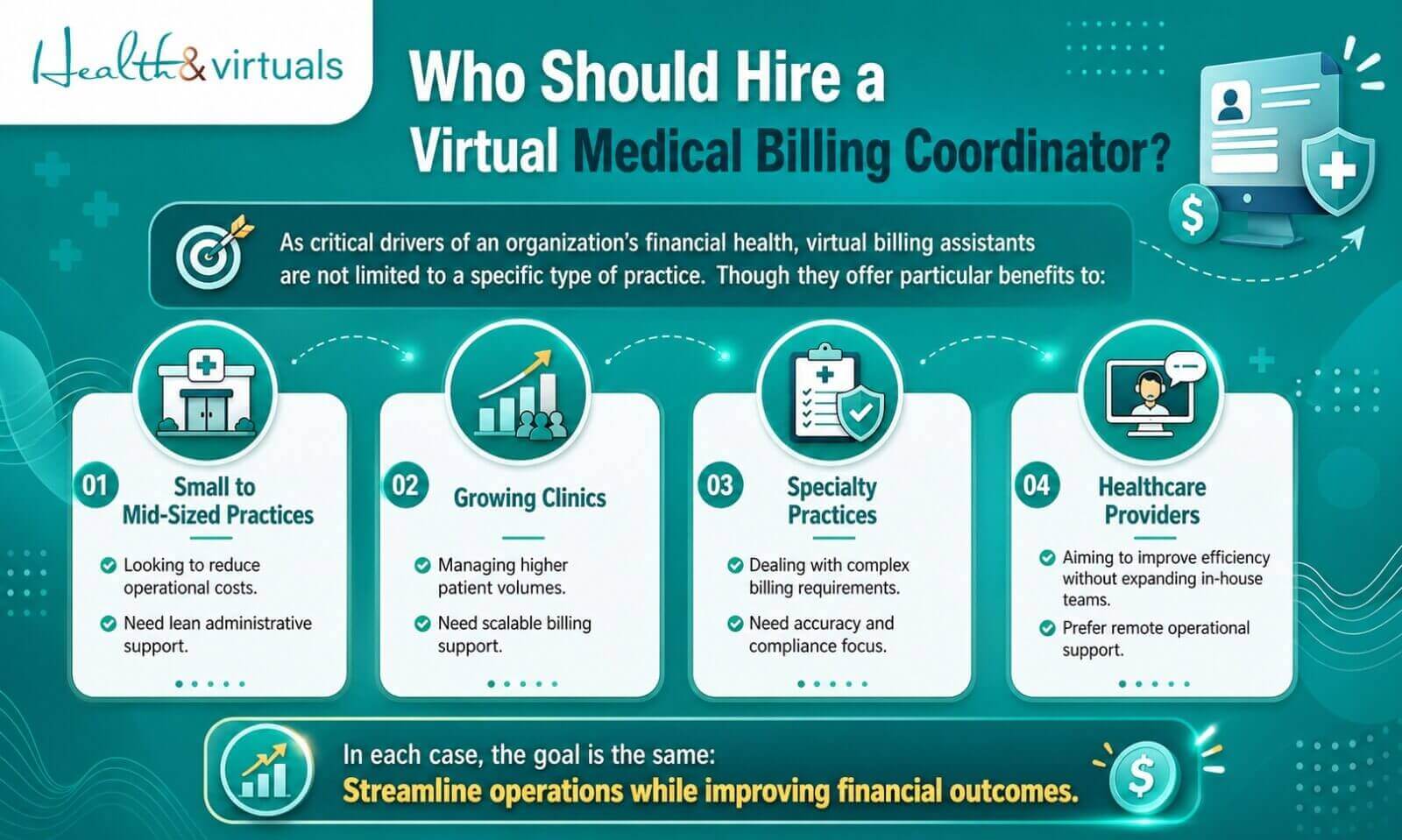
Who Should Hire a Virtual Medical Billing Coordinator? 

infographics about Who Should Hire a Virtual Medical Billing Coordinator? 

As critical drivers of an organization’s financial health, virtual billing assistants are not limited to a specific type of practice. 

Though they offer particular benefits to:

  • Small to mid-sized practices that, looking to reduce costs.
  • Growing clinics; managing higher patient volumes.
  • Specialty practices dealing with complex billing requirements.
  • Healthcare providers aiming to improve efficiency without expanding in-house teams.

In each case, the goal is the same: streamline operations while improving financial outcomes.


Ready to Improve Your Medical Billing Performance?

hire virtual staffing with health & virtuals

If your practice is struggling with claim denials, delayed payments, or rising administrative costs, it may be time to consider a more efficient approach.

Hire a skilled Virtual Medical Billing Assistant today and streamline your revenue cycle from day one.

→ Reduce billing errors.

→ Improve cash flow.

→ Save administrative time.

→ Focus more on patient care.

Get in touch today to find the right virtual billing support for your practice and start optimizing your revenue cycle.


FAQs

What is the difference between in-house and virtual billing coordinators? 

Your in-house billing coordinator works at your workplace. Only in your time zone’s duty hours. A virtual billing coordinator is remotely available and scalable to serve your practice virtually. 

Is hiring a virtual medical billing coordinator cost-effective? 

Yes. It’s proven. Hiring a virtual medical billing coordinator significantly reduces expenses related to salaries, training, office space, and other benefits. Making it a more cost-effective option for healthcare practices.

How quickly can a virtual billing coordinator start working? 

Most virtual billing coordinators can begin within a few days. Though, it depends on the practice’s onboarding requirements, system access, and the complexity of their billing processes.

22Apr

Sales Development Representative (SDR) | Roles, Responsibilities & Skills!

A Sales Development Representative (SDR) is someone who identifies prospective clients for a business. They are responsible for engaging them through outreach (calls, emails, or LinkedIn), and determining whether they are a good fit before passing them to a closing sales representative.

In simple Terms, an SDR does not close deals… instead, they: generate leads, start conversations, qualify prospects & book meetings for the sales team. They must have proven experience in B2B lead generation, outbound prospecting, or sales support roles.

In a revenue-driven business environment, companies can no longer rely on passive lead generation alone. A structured and predictable sales pipeline is essential… so a Sales Development Representative (SDR) becomes indispensable.

According to research by HubSpot, organizations that prioritize lead nurturing generate 50% more sales-ready leads. All at 33% lower cost. This highlights the growing importance of SDRs as a strategic function, not just a support role.


What Is a Sales Development Representative (SDR)?

sales development representative speaking with client to understand business needs and qualify lead

A Sales Development Representative (SDR) serves as the strategic engine behind a company’s sales pipeline. In easy words thy are responsible for ensuring that businesses have a consistent pipeline of high-quality leads. As it directly supports revenue growth and sales efficiency.

This role focuses on identifying, engaging, and qualifying potential clients before handing them off to closing teams.

SDRs manage outbound campaigns. They conduct discovery conversations and act as the first professional touchpoint for prospective clients. 

Their work ensures that only high-quality yet sales-ready opportunities move forward in the funnel.


Why SDRs Are Critical to Business Growth?

illustration of sales development representative speaking with client to understand business needs and qualify lead

SDRs directly impact your business’s revenue predictability and scalability. Without them, sales teams often waste valuable time on unqualified prospects.

Key impact areas:

  • Consistent pipeline generation.
  • Improved lead quality.
  • Reduced customer acquisition cost.
  • Faster deal cycles.

A report from Salesforce indicates that high-performing sales teams are 2.3x more likely to use structured prospecting processes… a core responsibility of SDRs.


About the Role: What Do Sales Development Representatives Do?

An SDR works as a Lead Development Representative, ensuring a steady flow of qualified opportunities to grow your revenue. It is done through structured outreach and disciplined execution.

Core function of the role:

  • Manage outbound and inbound prospecting campaigns.
  • Conduct initial discovery calls. To identify business needs.
  • Execute multi-channel sales cadences (email, LinkedIn, phone).
  • Maintain accurate CRM data. Also the engagement tracking.
  • Bridge the gap: Between cold leads and sales-ready opportunities.

A Sales development representative, remote or in-house, is an essential role for today’s businesses’ growth for maintaining predictable and scalable revenue generation. 

SDRs identify operational gaps. They track engagement signals. Also, they ensure consistent follow-ups across all prospect interactions.


Key Roles & Duties of Sales Development Representatives 

Their work revolves around structured outreach and intelligent qualification. If you hire a sales development representative, they are ofthen take care of the following daily responsibilities:

  • Identifying decision-makers within Ideal Customer Profiles (ICPs).
  • Conducting outreach via email, calls, and LinkedIn.
  • Qualifying leads based on fit, need, and timing.
  • Scheduling meetings for Account Executives.
  • Tracking and updating CRM data.
  • Monitoring engagement and optimizing outreach strategies.

They ensure no opportunity is lost due to poor follow-up or lack of structure…


Core Responsibilities of Sales Development Representatives

Sales development representative responsibilities help define their strategic importance. They are useful in building a predictable and scalable sales pipeline. Whether in-house or through remote staffing solutions.

→ Execute Structured Multi-Channel Outbound Campaigns

SDRs run organized outreach campaigns. Across email, phone, and LinkedIn. It is to consistently engage potential prospects. 

Remote or outsourced sales development representatives (SDRs) leverage digital tools. They are trained to manage these campaigns efficiently from anywhere. More cost-effectively for your business. Ensuring continuous outreach without geographical limitations.

→ Conduct Discovery Conversations To Uncover Client Needs

Business development sales representatives initiate early-stage conversations to understand a prospect’s business challenges, goals, and pain points. 

Remote SDRs maintain the same level of professionalism. Their engagement is flawless through virtual communication channels. 

This helps determine whether there is a genuine opportunity for the company’s solution.

→ Qualify Leads Using Defined Frameworks And Criteria

SDRs assess prospects based on factors like budget. Also, the authority, need, and timing (BANT). 

This is a famous yet structured approach. Trained on that, sales development representative skills ensure only high-potential leads move forward. 

→ Route Qualified Opportunities With Detailed Handoff Notes

Once a lead is qualified, SDRs pass it to Account Executives. With clear context. Including insights and communication history.

Remote SDR teams outsourced from a trusted sales development representative staffing recruitment agencies ensure seamless collaboration. Done through CRM systems and shared platforms. This enables a smooth and informed transition.

→ Maintain Pipeline Visibility And CRM Accuracy

They regularly update CRM systems. With accurate data. Maintaining useful information on leads, interactions, and deal stages. Remote SDRs rely heavily on these systems. It is to maintain transparency and real-time visibility across distributed teams.

This ensures transparency. Helping sales teams make data-driven decisions.

→ Collaborate With Marketing To Refine Messaging

SDRs work closely with marketing teams. To improve outreach strategies and messaging. Remote environments enable ongoing collaboration through digital communication tools and shared workflows. 

This collaboration helps improve targeting. Also, the messaging effectiveness.

→ Track Outreach Performance And Engagement Signals

They monitor key metrics. Such as open rates, response rates, and engagement levels. For optimizing performance. Continuous tracking allows SDRs to improve conversion outcomes over time. Remote SDRs use advanced analytics tools to continuously refine their outreach approach.


Essential Skills of a Sales Development Representative

illustration about Essential Skills of a Sales Development Representative

Strong sales development representative skills combine communication, strategy, and persistence.

Core Skills include:

  • Exceptional verbal and written communication.
  • Clear articulation of value propositions.
  • Strong lead qualification and analytical thinking.
  • High discipline in managing outreach volume.
  • Resilience in handling rejection and follow-ups.
  • Effective time and pipeline management.

According to LinkedIn’s State of Sales Report, top-performing sales professionals are 88% more likely to prioritize relationship-building. They have good communication skills. Whether working as an on-site or sales development representative, or remotely for a business. Reinforcing the importance of these competencies.


Qualifications & Requirements for SDR

illustration about Qualifications & Requirements for SDR

1. Educational Background

Qualification of and SDR must be a Bachelor’s degree in Business, Marketing, or a related field (preferred).

2. Professional Experience

As mentioned in SDR job descriptions, a qualifying sales development representative’s experience includes:

  • Proven experience in B2B lead generation or outbound prospecting.
  • Familiarity with sales cadences and structured multi-touch outreach sequences.
  • Experience in sales support or pipeline management roles, including CRM usage and lead tracking.
  • Exposure to remote sales operations or virtual selling environments (preferred in modern SDR roles).
  • Experience in qualifying leads and scheduling meetings for Account Executives.
  • Ability to work in target-driven environments with measurable KPIs and performance metrics.

3. Technical Proficiency

Whether working on-site or remote, SDRs must be technically skilled to compete in the digital, innovative business world. An SDR must be equipped with the knowledge of:

  • CRM platforms such as Salesforce or HubSpot.
  • Prospecting tools and data platforms like LinkedIn Sales Navigator, Apollo, or ZoomInfo.
  • Communication and outreach systems, including email sequencing tools, dialers, and LinkedIn messaging platforms.
  • Sales engagement platforms such as Outreach or Salesloft for managing cadences and follow-ups.
  • Data tracking and analytics tools to monitor engagement rates, conversions, and campaign performance.
  • Virtual collaboration tools like Slack, Zoom, or Microsoft Teams are especially important for remote SDR teams.
  • AI-powered sales tools for lead scoring, personalization, and outreach optimization.

Tools That SDRs Commonly Use!

Modern SDRs rely heavily on technology to scale their efforts efficiently.

Key tools include:

  • CRM systems (Salesforce, HubSpot)
  • Outreach platforms (Outreach, Salesloft)
  • LinkedIn Sales Navigator
  • Lead intelligence tools (ZoomInfo, Apollo)
  • Communication tools (Zoom, Slack)

Companies using CRM systems effectively see up to 29% increase in sales productivity (Salesforce data).


SDR Career Path and Growth Opportunities

The SDR role is often the entry point into high-level sales careers.illustration image about career progression from sales development representative to account executive and sales manager

Your career can progress as:

  • SDR → Senior SDR
  • Account Executive
  • Sales Manager
  • Business Development Leader

This role builds foundational skills in communication, strategy, and revenue generation.


Challenges Faced by SDRs

SDR managing high volume outreach handling rejection and meeting sales KPIs

Sales Development Representatives operate in a highly structured, performance-driven environment. Their consistency and discipline are critical. 

Whether working on-site or as a remote SDR, they face several operational challenges. That directly impacts productivity and pipeline outcomes.

→ High-volume outreach demands. SDRs are expected to manage large-scale daily outreach. Across email, phone, and LinkedIn. This requires strong time management and sustained focus.

Rejection and low response rates. Cold outreach often results in frequent rejection. Or no response. Making resilience and persistence essential traits for success.

Maintaining CRM accuracy and data discipline. SDRs must consistently update CRM systems. All with correct and timely data. For ensuring pipeline visibility. And to avoid gaps in reporting.

Meeting strict performance KPIs. SDRs are often measured on calls. On emails sent, meetings booked, and conversion rates. Thus, facing constant performance pressure.

→ Managing multi-channel coordination. Coordinating outreach across multiple platforms. Email, LinkedIn, calls… require strong organization and structured workflows.

→ Remote communication and alignment (for remote SDRs)

Remote SDRs must stay closely aligned with sales and marketing teams. Using digital tools. That can be challenging without in-person interaction.

Handling shifting buyer behavior. Prospects are increasingly informed and selective. Requiring SDRs to continuously adapt messaging and outreach strategies. 


Benefits of Hiring an SDR for Your Business

Hiring an SDR, especially a remote sales development representative…offers measurable business advantages.

Key benefits of an SDR include:

  • Scalable lead generation.
  • Improved sales efficiency.
  • Lower customer acquisition costs.
  • Higher conversion rates.
  • Better alignment between sales and marketing.
  • Faster sales cycle.
  • Stronger pipeline visibility through accurate CRM tracking.
  • Increased revenue predictability with consistent qualified leads.
  • Improved targeting of Ideal Customer Profiles (ICPs).
  • Flexibility to support remote and outsourced SDR staffing models for scalable growth.

Many companies now prefer outsourced sales development representatives hired from trusted sales development representative staffing and recruitment agencies, such as Health & Virtuals, to access skilled talent without increasing overhead.


Build a Strong Sales Pipeline with Skilled SDRs from Health & Virtuals

At Health & Virtuals, our SDRs are trained. They are here to deliver consistent, high-quality pipeline generation through structured processes and professional engagement.

They specialize in:

  • Multi-channel outbound campaigns.
  • Data-driven prospecting.
  • Lead qualification and CRM management.
  • Sales pipeline optimization.

Why Choose Health & Virtuals for Hiring SDRs?

what makes health and virtuals different copy (1)

→ Elite Talent

Only the top 2% of applicants are selected and rigorously trained.

→ Comprehensive Training

All professionals undergo an American-Certified Academy program covering U.S. standards, documentation, and compliance.

→ Risk-Free Hiring

Start with a 1-week trial before full onboarding.

→ End-to-End Support

We handle onboarding, scheduling, performance tracking, and quality control.

→ Scalable Workforce

Easily scale your SDR team up or down as your business grows.

→ Global Expertise, Local Standards

Our professionals align with U.S. business practices, ensuring seamless integration into your workflow.

Ready to build a predictable and scalable sales pipeline?

Hire a Sales Development Representative and remote staffing from Health & Virtuals today and turn prospects into revenue.


FAQs

What is the difference between an SDR and a BDR?

An SDR focuses on lead qualification. On early-stage outreach. Well, a BDR typically handles strategic partnerships and broader business growth initiatives.

How much does an SDR earn?

SDR salaries typically range between $40,000 and $70,000 annually. It varies. With additional performance-based incentives depending on results.

What industries hire SDRs?

SDRs are widely used across SaaS, healthcare, finance, e-commerce, real estate, and professional services industries.

20Apr

What Are the Different Types of Virtual Assistants?

Running a business today doesn’t look the way it used to… and honestly, that’s a good thing. Teams are no longer limited by location. The shift from in-house staffing to outsourcing is becoming more practical than ever. Companies are choosing flexible, remote support. Instead of hiring full-time, in-office staff. All with the help of virtual assistants (VA).

The global virtual assistant services market has grown… from just $3.41 billion in 2020 to over $19.6 billion in 2025. To be expected to grow to around 55 million USD by 2035. Reflecting explosive adoption across industries. Making it one of the fastest-growing sectors in the remote workforce economy.

Today, administrative VAs account for over 40% of the market. Although technical and niche-specific VAs, such as marketing, healthcare, and e-commerce assistants, are the fastest-growing segment. 

There are different types of VA, based on their skills and how they can help your business to scale. So, knowing about them and then choosing the right type of VA is important.


Why Choosing the Right Type of Virtual Assistant Matters?

Illustration showing growing demand for nurse practitioners and physician assistants in healthcare industry

What Is a Virtual Assistant? A virtual assistant (VA) is your remote professional. It is one who can provide your business with administrative, technical, or creative support for all sizes of businesses or entrepreneurs. 

Of course, these professionals work online. Making them highly flexible and cost-effective compared to in-house staff.

Whether you hire with a virtual assistant agency or independently, your VAs help streamline operations without the overhead costs of full-time employees.

But the point is, not all businesses need the same type of support. Choosing the wrong VA for your business can lead to:

  • Inefficiency.
  • Poor task execution.
  • Wasted budget.

Selecting the right type of Virtual assistant ensures:

  • Better productivity.
  • Specialized expertise.
  • Faster business growth…

So, you should understand the different niches in virtual assistant services. As it allows you to match your business needs with the right skill set.


Main Types of Virtual Assistants

Main types of VAs include the following:

1. Healthcare Virtual Assistant (High-Value, Specialized Role)

Elderly patient receiving virtual consultation reducing hospital visits

This is one of the most critical and specialized niches in virtual assistant services. Especially for clinics, telehealth providers, and healthcare organizations.

At Health & Virtuals, the best remote staffing provider across the United States, our healthcare VAs are trained in HIPAA compliance, EMR systems, and patient communication. Ensuring accuracy, privacy, and efficiency in medical operations.

Tasks of Medical Virtual Assitants

  • Patient appointment scheduling and calendar management.
  • Medical billing, coding support, and insurance verification.
  • Managing EMR/EHR systems (e.g., Epic, Athena, eClinicalWorks).
  • Virtual medical scribing and documentation.
  • Patient coordination and follow-ups.
  • Handling phone calls, emails, and patient inquiries.
  • Prior authorizations and claims processing.
  • Managing intake forms, reminders, and no-show follow-ups.
  • Ensuring HIPAA compliance and patient data privacy.
  • Supporting dental, chiropractic, wellness, and telehealth practices.
  • Assisting care coordinators and nursing home operations.

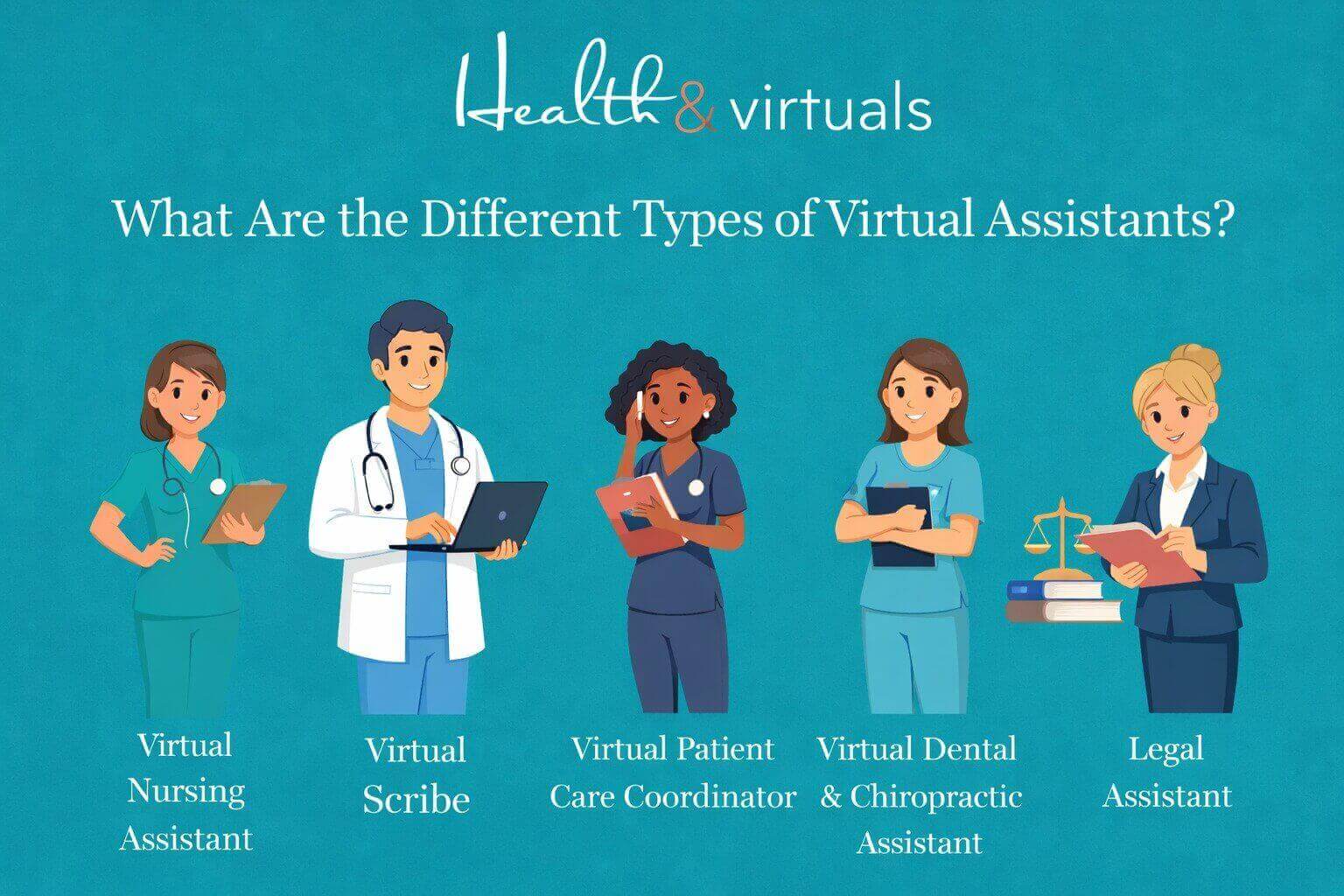
There are also some specialized roles that fall under the umbrella of healthcare VAs, or virtual medical assistants.

These include:

→ Virtual Medical Assistants. VMAs handle administrative and clinical support tasks. Includes scheduling, patient intake, and basic care coordination.

→ Virtual Scribes. To document patient encounters in real time, you may benefit from the help of Virtual scribes. Trained in updating medical records accurately during or after consultations.

→ Virtual Patient Care Coordinators. Manage patient communication. Patient care coordinators remotely follow up and create care plans to ensure a smooth treatment journey.

→ Virtual Dental & Chiropractic Assistants. To support dental and chiropractic practices, you need virtual dental assistants and virtual chiropractic assistants… niche-specific, trained with scheduling, patient records, billing, and front-desk coordination.

→ Virtual Medical Billing Coordinators. Process claims. Manage your RCM & manage insurance verifications. Virtual billing specialists ensure accurate and timely medical billing for better revenue.

→ Virtual Nursing Assistants. As Family Nurse Practitioners (FNPs) and Psychiatric Mental Health Nurse Practitioners (PMHNPs), support nurses and care teams by monitoring patient updates, coordinating care tasks, assisting with documentation, and ensuring continuity of care.

What are VMAs Best For?

  • Medical clinics and hospitals.
  • Telehealth providers.
  • Mental health practices.
  • Dental and chiropractic clinics.
  • Assisted living and nursing homes.

2. Administrative Virtual Assistant

Virtual staffing for business growth i, lady working from different time xone

The backbone of your daily operations. Your Virtual Administrative support helps keep your business organized, on track, and running smoothly.

Tasks of Administrative Remote Staff

  • Managing emails, inbox organization, and follow-ups.
  • Calendar scheduling, appointment coordination, and reminders.
  • Data entry, file management, and documentation.
  • Preparing reports, presentations, and spreadsheets.
  • Handling travel arrangements and meeting coordination.
  • CRM updates and database management.

Other specialized roles of administrative remote staff, such as:

→ Virtual Legal Assistant. Prepares legal documents and manages case files. Your VLAs will help to schedule hearings. They’re qualified and trained to support attorneys with research and documentation

→ Virtual HR Assistant. They are needed to handle recruitment support. Communicate with talent pool, onboarding/offboarding, and employee records. HR assistants remote are trained to work remotely with internal HR coordination.

→ Virtual Payroll Assistant. Manages timesheets and processes payroll data. Remote Payroll assistants track compensation and ensure accurate payments, keeping all work aligned and timely.

→ Virtual Executive Assistant. Your virtual executive assistant provides high-level support, including calendar control, strategic coordination, and confidential communication

→ Virtual Medical Billing Coordinator. A billing coordinator is one who remotely manages billing records, insurance documentation, claims processing, and payment tracking, in coordination with the medical billing team of any practice.

→ Virtual Sales Development Representative (SDR). Generates and qualifies leads. SDR conducts outreach (email/calls), schedules sales meetings, and supports pipeline growth, supporting your business.

What are Virtual Administrative Assistants Best for?

  • Startups and small businesses.
  • Legal firms and corporate teams.
  • Healthcare practices and clinics’ medical billing team.
  • Agencies and growing organizations need structured support.
  • Any business needing daily operational support

3. Customer Support Virtual Assistant

Remote professionals working from different locations worldwide

Your frontline support system, Virtual customer support assistants, ensures every customer interaction is handled professionally and efficiently.

Tasks of Customer Support Virtual Assistants

  • Managing support tickets and helpdesk systems.
  • Handling complaints, refunds, and issue resolution.
  • Order tracking and service follow-ups.
  • Maintaining customer satisfaction and retention.

What are Customer Support Virtual Assistants Best for?

  • E-commerce brands.
  • SaaS companies.
  • Service-based businesses, such as a virtual wellness assistant for a wellness clinic.
  • Subscription-based platforms.

4. Marketing Virtual Assistant

Hospitality virtual assistant responding to guest inquiries through live chatDriving visibility, engagement, and growth. Marketing VAs through strategic digital marketing support help with the growth of your business.



Tasks of Marketing Virtual Assistant

  • Email marketing campaigns and automation.
  • SEO optimization and keyword research.
  • Social media strategy and content planning.
  • Lead generation and funnel management.
  • Analytics tracking and performance reporting.
  • Blog publishing and content optimization.

What are Marketing Virtual Assistants Best For?

  • Digital agencies.
  • Online businesses.
  • Personal brands.
  • Clinics.
  • Wellness businesses: growing online presence.
  • Dental setups.
  • Nursing Homes.
  • Psychiatric facilities.

5. Executive Virtual Assistant

Virtual assistant providing 24/7 support for hotel guests online

Executive VAs are providing high-level support for leadership. Helping you stay focused on strategy while managing the details.

Tasks of Executive Virtual Assistants

  • Managing high-level schedules and priorities.
  • Handling confidential communication.
  • Business coordination and stakeholder management.
  • Project tracking and internal operations support.
  • Preparing business reports and insights.

Who are Executive Virtual Assistants Best For?

  • CEOs and founders.
  • Senior executives.
  • Scaling companies.
  • Legal firms (as Virtual Legal Assistant)>

6. E-commerce Virtual Assistant

Illustration about e commerce virtual assistant help with online setups

If you want to keep your online store running efficiently, from product listings to customer experience, you will need an e-commerce virtual assistant.

Tasks of E-commerce Virtual Assistants

  • Product listing and optimization (Shopify, Amazon, etc.)
  • Inventory tracking and order management.
  • Customer support and returns handling.
  • Supplier coordination and logistics support.
  • Product research and competitor analysis.

What are E-commerce Virtual Assistants Best For?

  • Shopify store owners.
  • Amazon sellers.
  • Dropshipping businesses.
  • Online entrepreneurs.

How to Choose the Right Virtual Assistant for Your Business?

When hiring a virtual assistant, consider the following:

1. Identify Your Needs

Are you looking for general support or specialized expertise? 

Clearly identify which role is most needed to support your business. Discuss with your team. 


If you are opting to hire a virtual assistant from a remote staffing company (MOST RECOMMENDED!!!), Health & Virtuals can provide you with a consultation. Share your requirement with us. We will guide you on what is best for your business!


2. Define Your Budget

Different types of VAs come at different price points. Again. Discussion with our expert support team can be the best option for you!

3. Check Experience

Look for industry-specific experience. Before finalizing your online VA, know in detail about its experience. The more industry-specific experience and training a VA has, the more it will be specialized to meet your requirements and business growth.

4. Decide Between Freelancer or Agency

VAs are available as freelancers. But a virtual assistant agency offers reliability and scalability. They provide background-checked, pre-vetted & trained pupils. Saving a lot of your time on training and onboarding a remote candidate. While freelancers may be more budget-friendly.


Which Type of Virtual Assistant Is Right for You?

The right choice depends on your business goals and operational gaps.

→ You need an Administrative Virtual Assistant!virtual assistant nurse helping patient queries online

Is your business is suffering from:

  • Inbox and email management overload?
  • Calendar conflicts and missed appointments?
  • Disorganized files, documents, and CRM data?
  • Repetitive admin tasks taking up your time?
  • Need for structured daily workflow support?
  • Lack of internal coordination between tasks and teams?


→ You need a Healthcare Virtual Assistant

Is your healthcare practice facing:

illustration Healthcare team benefiting from virtual billing assistant with improved revenue and reduced workload

  • Patient scheduling and appointment management overload?
  • High volume of missed calls and unanswered patient inquiries?
  • Medical billing, insurance verification, and claims processing delays?
  • EMR/EHR documentation burden affecting staff productivity?
  • Inefficient patient follow-ups and care coordination gaps?
  • Compliance challenges and administrative workload in daily operations?
  • Lack of structured support for front desk and back-office tasks?
  • Difficulty managing intake forms, records, and patient communication?

Hire now!


  • If your nursing team is overloaded with administrative work, patient documentation, scheduling, and non-clinical tasks affecting care delivery. → You should hire a Virtual Nursing Assistant.
  • If your physicians are spending too much time on documentation, note-taking, and medical record updates instead of patient care. You need to hire a Virtual Scribe.
  • If your practice is struggling with poor patient follow-ups and care coordination gaps. Weak patient engagement is affecting the treatment journey badly. → You need a Virtual Patient Care Coordinator.
  • If your dental or chiropractic clinic is facing missed appointments, front desk overload, disorganized records, and weak follow-up systems. → You need a Virtual Dental & Chiropractic Assistant..
  • If your healthcare billing process is slowed by claim delays, insurance issues, coding errors, and inefficient revenue tracking. → You need a Virtual Medical Billing Coordinator.
  • If your clinic or hospital is struggling with appointment overload. There are scheduling conflicts and inefficient calendar management across multiple providers. → You need a Virtual Scheduler.
  • If your physicians or clinical teams need support with clinical coordination. With patient preparation, documentation assistance, and workflow support. → You need a Virtual Physician Assistant.

→ You need a Marketing or Social Media Virtual Assistant

Is your business suffering from:Remote virtual hr assistant scheduling patient appointments and updating electronic health records from a home office workspace.

  • Low online visibility and weak brand presence?
  • Inconsistent social media posting?
  • Poor engagement and audience growth?
  • Lack of SEO strategy and content planning?
  • Weak lead generation from digital channels?
  • No time to manage marketing activities?

Hire with Health & Virtuals!


→ You need a Sales Development Representative (SDR) Virtual AssistantRemote wellness assistant sending appointment reminders and follow-up messages to improve patient engagement and treatment adherence.

Is your business suffering from:

  • No structured lead generation system?
  • Missed follow-ups with potential clients?Low conversion from inquiries to sales?
  • Poor CRM tracking and pipeline manaement?
  • Lack of consistent outreach activity?
  • Sales team overloaded with non-sales tasks?

→ You need a Legal Virtual AssistantLaw firm team collaborating with virtual legal assistants through online meeting platform

Is your legal practice struggling with:

  • Time-consuming case file management and documentation overload?
  • Missed deadlines for filings, hearings, and court schedules?
  • Excessive administrative workload taking time away from client work?
  • Disorganized contracts, agreements, and legal records?
  • Difficulty managing client communication and follow-ups?
  • Inefficient coordination between attorneys, paralegals, and clients?
  • High volume of repetitive legal research and paperwork?

Hire a Online VA Legal Support!


→ You need a Hospitality Virtual AssistantVirtual hospitality assistant managing hotel guest communication remotely

Is your hospitality business struggling with:

  • High volume of guest inquiries, bookings, and reservation management overload?
  • Missed check-in/check-out coordination and scheduling conflicts?
  • Excessive administrative workload affecting guest experience quality?
  • Disorganized guest records, preferences, and booking details?
  • Difficulty managing guest communication and timely responses?
  • Inefficient coordination between front desk, housekeeping, and service teams?
  • Repetitive operational tasks affecting staff productivity and service speed?

Need one? Hire now!


Pros of Hiring the Right Virtual Assistant

There are lots of benefits your business or healthcare facility will enjoy with VAs.

It includes:

  • Cost savings with no office space or employee benefits required.
  • Increased productivity through efficient task delegation.
  • Access to a global talent pool with diverse skill sets.
  • Easy scalability as your business grows or workload increases.
  • Improved work-life balance by reducing operational burden.

Do Not Make These Mistakes While Hiring a Virtual Assistant for Your Business!

  • Not defining clear tasks and expectations from the start.
  • Hiring based only on cost instead of skills and experience.
  • Ignoring communication skills and responsiveness.
  • Skipping trial periods to test performance and fit.
  • Not using proper tools, systems, or workflows for collaboration.

Ready to Strengthen Your Healthcare Operations?

Health & Virtuals is the best remote staffing company in the United States! Here, we don’t just provide virtual assistants. We deliver trained, reliable healthcare support professionals who integrate seamlessly into your workflow. To improve operational efficiency from day one.

what makes health and virtuals different copy (1)

→ Our candidates are vetted, pre-screened, and highly qualified through a structured selection process.

→ Every professional is trained in our specialized digital training programs to ensure industry-ready performance.

→ We are committed to delivering excellent, consistent, and reliable niche in Virtual Assistant support services for healthcare and other businesses of all sizes.

→ Our team is HIPAA-trained for handling medical, administrative, and patient coordination tasks with accuracy and care.

→ We provide scalable staffing solutions across all states for firms & healthcare facilities nationwide.

→ We ensure HIPAA-aware, process-driven, and patient-focused virtual support for your practice.


Remote virtual assistant working on laptop managing business tasks online from home office, overlapping illustration about increases ROI


Partner with Health & Virtuals today. Get a quote! And build a stronger, more efficient workflow system with the right online virtual assistant support team.


FAQs

What are the different types of virtual assistants?

There are several types, including administrative, marketing, customer support, healthcare, e-commerce, legal, and executive virtual assistants.

Can I hire a VA for a specific task only?

Yes. Many businesses hire VAs for specific tasks. They include social media management, data entry, or seasonal customer support without long-term commitments.

How quickly can I hire a virtual assistant?

You can typically hire a VA within a few days through our virtual assistant agency. Depending on your requirements and the level of expertise needed.

18Apr

The ROI of Hiring Virtual Assistants | How Much Time & Money You Can Save?

Your virtual assistant (VA) is a remote professional who provides administrative, technical, or creative support to businesses. All without being physically present in your workplace. Their tasks often include managing emails, scheduling, data entry, and customer support. Also, many other routine operations help keep a business running smoothly.

Today, business owners face constant pressure to balance daily operations. Focusing on growth activities. Much of their time gets consumed by repetitive administrative work. This leaves less room for strategy and revenue generation. 

Virtual assistants help solve this problem by taking over time-consuming tasks, improving efficiency, and allowing businesses to focus on core goals.

As a result, hiring virtual assistants has become more than just outsourcing support… it is now a strategic decision. A decision that can significantly improve productivity, reduce operational costs, and deliver a strong return on investment (ROI).


What Is ROI in Hiring Virtual Assistants? 

Remote virtual assistant working on laptop managing business tasks online from home office, overlapping illustration about increases ROI

ROI (Return on Investment) in general measures how profitable an investment is. In the case of virtual assistants, it refers to the value your business gains compared to the cost of hiring a team. Working at the site, in your office.. 

While ROI is traditionally calculated as profit over cost, businesses look at more than numbers when they hire virtual assistants. 

They consider how much time they get back, how much smoother things run, and how they trim down everyday expenses. 

Standard formula for ROI: (Net Profit / Cost of Investment) * 100 

ROI for virtual assistants = (Value of Time Saved + Cost Savings + Increased Revenue) / Cost of VA.


Why Businesses Are Turning to Virtual Assistants?

illustration Healthcare professionals reviewing revenue cycle management data and rising administrative costs

There is a wide pool of numbers and statistics to prove the advantages of a virtual assistant on the internet. Research suggests businesses save on 50-78% of costs by hiring VAs over in-house staff.

Beyond cost efficiency, there are several reasons why more businesses are adopting virtual assistants. These include: 

  • Access to skilled talent without geographical limitations. 
  • Flexibility in terms of time and working hours. 
  • Scalability without long-term commitments. 
  • Increased productivity. 

How Virtual Assistants Save You Time?

Happy chiropractic patient receiving seamless communication and care support by virtual chiropractic assistant

For a small-scale business – or even larger ones – time often proves one of the most valuable resources. Your VA is sourced globally, so they can make your business serve 24/7. For example, clients of your wellness or medspa need to answer their queries after office hours, and if you have a VA serving you for that, you can easily increase your client satisfaction, resulting in your business growth.

Even in business hours, your VA is there to handle repetitive tasks. With virtual assistants on board, business owners and their teams can focus on work that actually matters.

Virtual assistant advantages include saving time by: 

  • Handling of repetitive administrative tasks. 
  • Managing emails and calendars. 
  • Scheduling appointments. 
  • Conducting research and data entry. 

How Virtual Assistants Save You Money?

Hiring a virtual assistant is relatively more cost-effective than in-house staffing in more ways than one. They help reduce cost by: 

1. Eliminating Office Space and Equipment Expenses

Virtual assistants work remotely, which means businesses do not need to invest in accommodation, such as physical office space, desks, computers, or other equipment. This significantly reduces overhead cost for growing teams. 

2. Avoiding Employee Benefits and Payroll Taxes

Virtual assistants are typically hired on a contract basis as opposed to full-time, in-house employees. This is a great way for businesses to avoid additional costs such as health insurance, paid leave, bonuses, and payroll taxes. 

3. Offering Flexible Pricing

Virtual assistants can be hired based on specific needs, such as hourly, part-time, or per project. This flexibility bars businesses from covering fixed salaries regardless of workload. 

4. Reducing Training and Onboarding Costs

The cost of a virtual assistant is significantly reduced when they are outsourced from a recruiting agency. These agencies typically pre-screen candidates, assess their skills, and ensure they are ready to dive headfirst into the industry.


Case Studies: Real-World ROI of Virtual Assistants 

The return on investment for virtual assistants becomes obvious when you look at how businesses actually operate. Research shows business owners spend up to 30-40% of their time just handling admin work. 

That’s a huge chunk of the day lost – time that could be used to grow the business or land new clients. Virtual assistants, such as virtual legal assistants, medical or dental virtual assistants, Payroll & HR assistants, and more, help businesses & practices get that time back, so they can focus on what moves the needle.

Hiring a virtual assistant has been shown to improve this. By delegating email management, client communication, scheduling, and follow-ups to a VA, businesses have many benefits.

There are similar advantages of a medical virtual assistant who is hired to manage appointment scheduling and insurance follow-ups. 

The medical practice experiences fewer scheduling gaps, improved patient flow, and faster billing cycles with virtual billing coordinators in this case. 


Case Study 1 | Healthcare Clinic: Streamlining Operations & Reducing Costs

A mid-sized healthcare clinic struggled with administrative overload, affecting patient flow and staff efficiency.Illustration of Healthcare virtual assistant managing patient appointments and medical scheduling system

After hiring a virtual assistant for scheduling, reminders, and patient coordination:

  • Operational costs reduced by up to 60%+
  • Administrative workload reduced by 35–45%
  • No-show rates dropped by 25–30%
  • Monthly savings estimated at $2,000–$3,500

Result: More efficient operations, better patient flow, and major cost savings.

Case Study 2 | Legal Firm: Increasing Billable Hours & Efficiency

A small legal firm was spending too much time on documentation and administrative tasks.Illustration of legal virtual assistant managing work increasing increasing ROI

After outsourcing to a virtual assistant:

  • Administrative costs reduced by up to 50%+
  • Attorneys saved 15–25 billable hours per week
  • Monthly revenue increased by $6,000–$12,000
  • Productivity improved significantly without hiring in-house staff

Result: More billable work, lower overhead, and higher profitability.

Case Study 3 | Hospitality Business: Improving Guest Experience & Occupancy

A boutique hotel was losing bookings due to slow communication and poor follow-ups.Hotel guest enjoying personalized experience and service arranged by hospitality assistant

After hiring a virtual assistant for reservations and guest support:

  • Operational costs reduced by up to 60%+
  • Response time improved by 70%
  • Occupancy increased by 15–25%
  • Revenue increased by $3,000–$8,000 monthly

Result: Better guest experience and stronger booking performance.


Key Areas Where VAs Deliver High ROI!

Virtual assistants are mostly delegated administrative tasks; thus, it would be safe to say that this is where they shine the most or deliver the highest ROI. 

Other areas where they provide value are: 

1. Healthcare Administration Support That Improves Patient Flow & Efficiency

clinical documentation workflow with medical scribe helping physician reduce administrative workloadVirtual assistants working as healthcare administrative support can benefit your practice by:


ROI Impact: Reduces administrative burden on medical staff. Improves patient flow. Lowers operational staffing costs.

2. Dental Practice Support That Reduces No-Shows and Increases Appointments

Illustration of dental virtual assistant managing patient appointments and medical scheduling system. increasing ROI

Virtual dental assistants working as dental coordinators can benefit you by:

  • Appointment booking and rescheduling.
  • Treatment plan coordination support.
  • Insurance claim assistance and verification.
  • Patient communication and reminders.
  • Managing dental CRM systems.

ROI Impact: Increases chair utilization. Reduces no-shows. Improves patient experience.

3. Legal Back-Office Support That Saves Attorney Time and Increases Case Efficiency

Attorney and virtual legal assistant communicating through video conferencing for legal support and case updates.

Virtual assistants working as legal support staff can benefit you by:

  • Legal research and document preparation
  • Case file organization and management.
  • Scheduling court dates and client meetings.
  • Drafting basic correspondence.
  • Transcription of legal notes and recordings.

ROI Impact: Saves attorney time. Improves case efficiency. Reduces administrative overhead.

4. Wellness & Medspa Virtual Support That Makes Client Experience and Bookings Better

Medical clinic examination room where medical assistants support physicians and patient care.

Virtual wellness assistants are helpful as they can do:

  • Client booking and timely follow-ups.
  • Membership and package management.
  • Social media content scheduling.
  • Lead tracking and consultation coordination.
  • Customer support for wellness inquiries.

ROI Impact: Increases client retention. Increase bookings with follow-ups. Supports consistent client engagement.

5. Hospitality Support That Improves Guest Experience and Online Reputation

Illustration of hospitality virtual assistant managing work increasing increasing ROI

Virtual hospitality assistants are trained to help you with:

  • Reservation and booking management.
  • Guest communication and inquiries.
  • Listing updates on booking platforms.
  • Review monitoring and response handling.
  • Coordination with service teams.

ROI Impact: Improves guest satisfaction. Increases occupancy rates. Enhances online reputation.

6. HR & Payroll Virtual Support That Streamlines Hiring and Workforce Management

Professional virtual legal assistant handling legal documents and client communication using a laptop remotely.

Virtual assistants working as HR & Payroll assistants can benefit you by:

  • Candidate screening and resume sorting.
  • Interview scheduling and coordination.
  • Employee onboarding documentation.
  • Payroll data entry and tracking.
  • Attendance and leave management.

ROI Impact: Reduces HR workload. Improves hiring efficiency. Ensures smoother payroll operations.

7. Sales Development Support That Drives Leads, Sales, and Revenue Growth

Remote virtual assistant working on laptop managing business tasks online from home office, overlapping illustration about increases ROI

Virtual assistants working as sales development support remote can help your business with:

  • Lead generation and prospect research.
  • CRM management and data updates.
  • Cold outreach and email support.
  • Sales pipeline tracking.
  • Appointment setting for sales teams.

ROI Impact: Drives revenue growth. Increases conversion opportunities. Frees sales teams to focus on closing deals.

Other Key Support Areas Where Virtual Assistants Deliver High ROI Are:

→ Content Creation Support. VA can design visuals. Help with preparing posts and creating engaging digital content for your brand.

→ SEO Support. By handling keyword research, optimizing website content, and improving your search engine rankings.

→ Social Media Management – Scheduling posts, managing accounts, responding to messages, and growing your online presence.

→ Content Writing Support – Help with blogs, articles, website content, and marketing copy. All to improve engagement and visibility of your business.

→ Data Entry & Management – Helps to organize data, update records, and maintain accurate business information.


How To Calculate the ROI of a Virtual Assistant?

The ROI of a virtual assistant can be evaluated using a simple approach. 

  1. Calculate hours saved per week. 
  2. Assign a value to your time (for example, hourly revenue rate).
  3. Add cost savings.
  4. Subtract the cost of hiring the VA. 

ROI = (Value of Time Saved + Cost Savings + Increased Revenue) / Cost of VA

Example: 

Value of time saved = $500 

Cost savings = $200

Increased revenue = $300 

Cost of VA = $500 

ROI = (500 +200 + 300) / 500 

ROI = 1000 / 500 

ROI = 2 

This means the business is getting 2x value for every $1 spent, i.e., for every $500 spent on a virtual assistant, the business gains $1,000 in value.


Factors That Impact ROI Illustration of Healthcare virtual assistant managing patient appointments and medical scheduling system

Return on investment from a virtual assistant depends on several factors.

 These include: 

  • Skill level of the remote assistant. 
  • Quality of task delegation. 
  • Communication efficiency. 
  • Tools and systems used. 
  • Business type and needs. 

Poor management can reduce ROI, even with a skilled virtual assistant.


Common Mistakes That Reduce ROI!

Sometimes businesses make mistakes that have a direct impact on ROI from a virtual assistant. These include: 

→ Not Utilizing Virtual Assistant

If a business restricts the remote assistant to a few minor tasks, it could limit the time and cost savings they could achieve by fully utilizing the VA’s capacity. 

→ Hiring Without Clear Role Definition

The virtual assistant may lack direction without clearly defined responsibilities from the employer’s end. This may lead to confusion, inefficiency, and inconsistent results. 

→ Poor Onboarding and Training

Even the most skilled virtual assistants require proper briefing on the business’s processes. Skipping it makes mistakes and delays more likely. 

→ Lack of Communication

Infrequent or unclear communication can result in misunderstandings, missed tasks, and reduced productivity. 

→ Micromanaging

Constant oversight essentially defeats the purpose of hiring a virtual assistant. In addition to slowing down work, efficiency and overall ROI are also reduced. 


Tips to Maximize ROI from Virtual Assistants 

To get the most out of your VA:

  • Clearly define tasks and expectations.
  • Use project management tools.
  • Set measurable goals and KPIs.
  • Provide proper training and resources.
  • Build long-term working relationships.

The better your systems, the higher your ROI of hiring a virtual assistant is.


Maximize Your ROI & Start Saving Time with Health & Virtuals 

Chiropractic patient receiving follow-up reminder call from virtual assistant

Hiring the right trained, vetted, and ready to perform talent can transform your business operations. 

As a virtual assistant staffing agency, we provide skilled, reliable individuals at Health & Virtuals. Whether you need administrative support, billing assistance, or customer service, our tailored solutions are designed to deliver measurable results.

Ready to save time, cut costs, and grow your business efficiently? Partner with Health & Virtuals today and start maximizing your ROI with expert virtual support for all businesses of all sizes.


FAQs

How much time can a virtual assistant save? 

A virtual assistant can save anywhere from a few hours to over 40 hours per month by handling repetitive tasks.

What tasks provide the highest ROI? 

Tasks like administrative support, customer service, scheduling, billing, and data management typically provide the highest ROI.

Can small businesses benefit from virtual assistants?

Yes, small businesses benefit significantly as virtual assistants reduce operational costs of a growing start-up, improve efficiency, and allow owners to focus on growth and revenue-generating activities…

14Apr

How a Virtual Medical Billing Assistant Can Transform Your Healthcare Revenue Cycle?

Healthcare organizations have been crippled by huge financial constraints. Revenue cycle management (RCM) is now harder than ever due to rising administrative expenses, escalating complexity of claims, and a shortage of staff. Indeed, administrative costs are now over 40 percent of hospital costs, as quoted by the American Hospital Association, and billing inefficiencies alone cost billions per year.

Meanwhile, the efficiency requirement is increasing. Financial optimization is becoming very crucial in healthcare, and thus, the global RCM market will grow to over $117 billion by 2030.

To cut the administrative costs, healthcare organizations in the United States and around the globe are using virtual staffing. In such a domain, a medical billing assistant comes in, not only in the form of administrative support, but as a strategic resource. 

A medical billing virtual assistant can cut your in-house staffing costs, directly enhance the revenue, minimise errors, and optimise the operations.


What is a Virtual Medical Billing Assistant?

Medical billing specialist ensuring accurate coding and reducing claim denials in healthcare billing

A virtual medical billing assistant is a distant administrative help, working as a remote medical billing professional who aids healthcare providers with medical billing and coding procedures and insurance claims, but operates off-site. 

These specialists work remotely, using cloud-based solutions and automating programs, unlike the traditional in-house billing personnel who work in the office.

A remote medical billing coordinator has the responsibility to manage end-to-end billing processes; verification of patient data, submission of claims & follow-ups on payments. As almost 65 percent of billing professionals are now working remotely, virtual staffing is no longer an exception but a growing trend in healthcare activities.


What Is Revenue Cycle Management (RCM)?

illustration about revenue cycle management

Revenue Cycle Management can be defined as the whole financial journey of a patient: appointment scheduling and insurance coverage, until the final payment is made.

It makes sure that the healthcare providers are properly reimbursed for the services they provide.

A standard RCM procedure would involve:

  • Patient registration, 
  • eligibility checks, 
  • coding, 
  • submitting claims, 
  • posting payment, and 
  • collections. 

All these stages may cause delays in payment or loss of revenue due to inefficiencies occurring in any of the stages.

To give an example, up to 42 percent of billing mistakes are due to manual billing errors during its RCM processes, and the average healthcare provider takes approximately 52 days to collect payment.

Given these challenges, optimizing RCM is not just about efficiency—it is essential for financial survival.


How a Virtual Medical Billing Assistant Transforms Your Revenue Cycle?

illustration Healthcare professionals reviewing revenue cycle management data and rising administrative costs

The power of a medical billing virtual assistant is reflected when you consider quantifiable results. These professionals bring uniformity, speed & accuracy in a process that is usually fragmented.

→  Provides Accuracy

One of the most significant transformations is in claim accuracy. The virtual billing assistants working as medical billing coordinators or billing specialists take time to examine documentation and coding and subsequently submit them, resulting in increased clean claims and reduced rejection. 

Claim rejections have been reduced up to 40 percent in real-life applications by incorporating virtual support.

→ Speed Up Billing Processes

They also speed up the billing cycle. The timeliness of submissions and timely follow-ups cut down on delays, enhancing cash flow. In other healthcare organizations, virtual billing workflows have resulted in a 25 percent decrease in revenue cycle time.

→ Cost-Saving

Cost efficiency is another transformation that is critical. By outsourcing the billing, the company can save on the operational expenses of 15-20 percent on average, not to mention the overhead of having to hire and train its own staff.

→ Maximized Revenue

Finally, the virtual assistants make RCM not a reactionary process but a proactive mechanism that is able to maximize revenue at all times.


Tasks Handled by a Virtual Medical Billing Assistant!

What-are-the-Duties-Responsibilities-of-a-Virtual-Medical-Billing-Coordinator-copy

A virtual medical billing coordinator is a virtual assistant who aids in various steps of the revenue cycle, which guarantees the smooth functioning of financial activities.

  • At the front end, they check patient insurance records and ascertain proper data entry. This action will stop several downstream claim rejections on its own.
  • As the process progresses, they engage in medical coding through standardized medical coding systems such as ICD-10 and CPT, and make sure that they meet the requirements of the payers. 
  • They work in coordination with medical scribes. They subsequently file and send claims using clearinghouses, monitor their status & resolve problems on the fly.
  • A medical billing specialist’s task is even more important in denial management. In case the claims are rejected, they determine the source of the rejection, rectify mistakes, and resubmit/appeal claims on time. 
  • They also control receivables by calling on the insurers and patients, which helps to decrease the balance and enhance the collection rates. 
  • Trained healthcare virtual assistants help in the communication of patient billing, sending reminders and handling payment plans.

This is the end-to-end engagement that renders them essential to the current healthcare finance teams.


The Benefits of Hiring a Virtual Medical Billing Assistant!

Cost savings are not the only advantages of employing a remote certified medical billing specialist. They essentially enhance the functioning of healthcare entities.

1. Accelerated Reimbursements

The other major advantage is the accelerated reimbursements. Regular submission of claims and follow-up results in reduced payment cycles and predictable cash flows.

2. Reduced Administrative Burden

Reduction in administrative burden is also noticeable. Physicians and in-house employees devote less time to billing matters, and they can concentrate on patient care. This not only increases productivity but also job satisfaction.

3. Scalability

Another significant benefit of hiring a virtual medical billing coordinator is scalability. 

Virtual assistants are easily scalable and do not need much infrastructure modification as the number of patients increases. This is especially useful when expanding practices.

4. Improved Financial Performance

Lastly, virtual billing services enhance financial performance. Healthcare providers can stabilize and maximize revenue cycle by enhancing collections, decreasing denials and streamlining workflows.


Who Should Hire a Virtual Medical Billing Assistant?

Big hospitals are not the only ones that can use virtual medical billing assistants. 

Actually, they are particularly useful for smaller practices that cannot afford a full in-house billing staff.

→ Individual Healthcare Providers

Healthcare team benefiting from virtual billing assistant with improved revenue and reduced workload

Medical billing coordinators can be beneficial to independent physicians, specialty clinics, telehealth providers, and multi-location practices. Virtual dental assistants are also proven to be beneficial in working remotely with dental clinics and help them progress. 

The same goes for wellness centers. A virtual wellness assistant, working as remote help in patient communication and also as billing personnel, can help your practice and cut in-house staffing costs up to 70%.

Billing complexity has grown as the use of telehealth is 38 times more than it was before the pandemic, and expert support is even more of a value now.

→ High Denial Claims Organizations

Healthcare organizations with high denials, lengthy accounts receivable periods, or staffing issues are good applicants. 

Moreover, virtual assistants are an affordable option in practices that seek to scale without adding overhead.

→ Large Healthcare Systems

Outsourcing models are becoming more popular with even large healthcare systems, with 70% of them having plans to expand RCM outsourcing in the coming years.


Future of Virtual Medical Billing in Healthcare!

illustration Healthcare professionals reviewing revenue cycle management data and rising administrative costs

The future of medical billing is computerized, remote, and digital. This change will be dominated by virtual medical billing administrative specialists.

Billing processes are already actively being transformed by artificial intelligence and machine learning and are already up to 75% error-reducing and highly efficient.

The cloud-based RCM systems have turned into the norm, allowing the teams to work in-house and remotely in cooperation. Meanwhile, AI-enabled solutions are aiding in detecting problems with claims prior to submitting them, cutting down on denials even more.

The move to value-based care is also making billing more complex and specialized knowledge is needed, which virtual professionals can deliver..


Hire Virtual Medical Billing Assistants with Health & Virtuals!

Remote medical billing assistant using cloud-based software for claims processing and coding

When your practice is experiencing slow payments, high denials, or increased administrative expenses, it could be time to re-evaluate your billing strategy.

Health &Virtuals links the medical professionals to the highly trained virtual medical billing coordinators who are conversant with the dynamics of RCM. 

Our trained professionals can make your operations smoother and maximize revenue, whether it is insurance verification or denial management.

Regardless of your business size, be it a small clinic or a developing healthcare institution, outsourcing your billing services to medical billing specialists may open the gateway to efficiency, cost reduction and better financial results.


FAQs

What does a virtual medical billing assistant do?

A medical billing specialist remotely handles the financial aspect of health care services, such as medical coding, submission of claims, tracking of payments, handling of denials, and billing to patients all remotely through digital systems.

Does virtual medical billing work with small practices?

No doubt that it is particularly helpful to small practices. It helps in cutting on overhead expenses, removes the necessity of having in-house billing personnel and helps in accessing professional personnel without any long-term contracts.

Does it mean that virtual billing can be used in different specialties?

Absolutely. The majority of virtual billing assistants are trained in various specialties and coding systems, which enables them to adjust to the specifics of various practices, such as cardiology, dermatology, orthopedics, and more.

13Apr

How to Scale Your Law Firm with Virtual Legal Support?

The transformation of the legal industry is both silent and mighty. Legal firms that used to be fixed in place with physical offices, in-house legal departments, and fixed staffing are becoming more and more flexible and remote-first. A virtual legal assistant is at the heart of this change as a solution that enables firms to expand without the typical overhead limitations.

Growing a law firm has never been an easy task. Full-time employees, administration, and retaining clients may cost a lot. A smarter solution to this is virtual legal assistants (VLAs), which is a combination of low cost, scalability & agility in your firm’s operations.


What Is Virtual Legal Support?

Law firm team collaborating with virtual legal assistants through online meeting platform

Virtual legal support is the administrative and legal outsourcing of remote professionals who are experts in the legal processes. These are known as off-site or virtual professionals, also referred to as remote assistants, virtual legal assistants or remote paralegals, who are employees of a law firm but operate remotely, seamlessly fitting into the daily routine of your law firm.

They generally deal with activities like:

  • Research and writing of documents in law.
  • Communication and intake with clients.
  • Management of calendar and deadlines.
  • Billing and administration.

Law firms are not restricted by geographical boundaries as they can tap talent across the world because they work remotely. This also helps firms to access specialized knowledge in various areas of law practice without necessarily employing full-time employees.


Why Law Firms Are Turning to Virtual Support?

Remote virtual assistant working on laptop managing business tasks online from home office, overlapping illustration about increases ROIThe move towards virtual legal staffing is not merely a trend, but it is motivated by actual business demands and consumer expectations.

Client demand to have faster communication is one of the major factors. Research indicates that 79 percent of customers want their attorney to respond to them within a 24-hour time frame, but most companies fail to do so.

Meanwhile, lawyers are experiencing burnout. A report by 2024 revealed that half of lawyers suffer burnout because of workloads.

A virtual legal office assistant solves the two problems by:

  • Reducing workload pressure.
  • Improving response times.
  • Enabling lawyers to work on high-value legal work.

There are lots of differences between in-house staffing & outsourcing talent.

There are also cost pressures that contribute significantly. Conventional law firms are paying a lot of money to rent an office, salaries, and benefits, all of which are incredibly high costs that a virtual staffing team can help cut down on.


Key Areas Where Virtual Legal Support Helps in a Law Firm

illustration about Key Areas Where Virtual Legal Support Helps in a Law FirmVLA has the potential to assist almost all of the areas of operation of a law firm.

→ Administrative Operations

They are involved in scheduling, emails, files, and managing the day-to-day running of things.

→ Legal Research and Documentation

Virtual assistants help to prepare contracts, create case briefs, and proofread documents.

→ Client Communication

A virtual assistant for legal planning deals with client intake, follow-ups, and updates, enhancing responsiveness and client satisfaction.

→ Billing and Case Management

A legal practice assistant assists in keeping deadlines and invoicing, among other tasks, and minimizes errors.

→ Compliance and Accuracy of Documentation

They assist in making sure that documents are of the required quality and adhere to the stipulated deadlines to avoid any failure.


The Role of Virtual Legal Support in Scaling Your Law Firm!

illustration about role of virtual legal support for scaling your law firmTo grow a law firm, one needs to do more than get clients; one needs to be able to manage the workload effectively. This is possible through virtual legal assistant services in a number of ways.
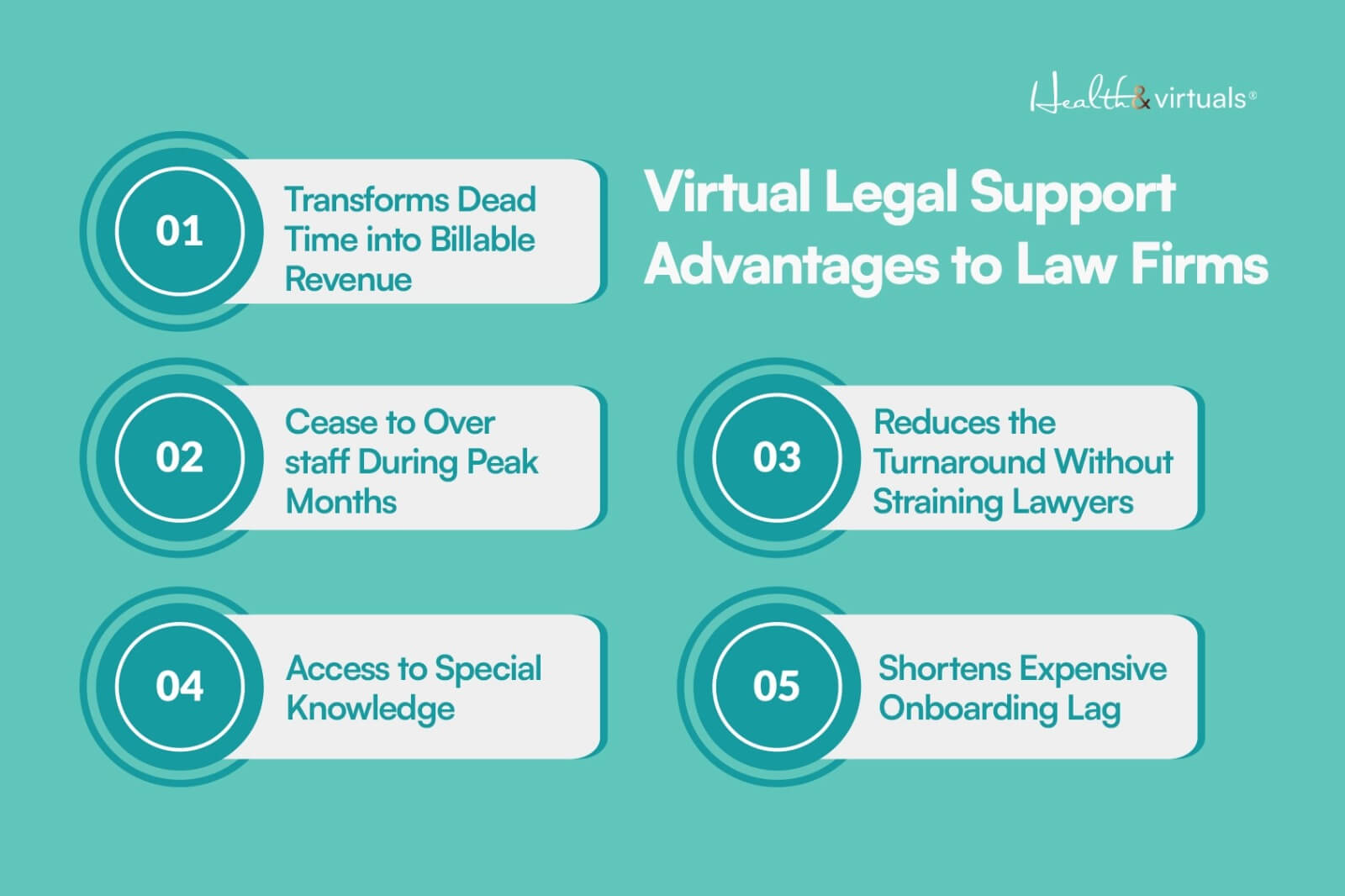
1. Flexible Workforce Expansion

Virtual assistants enable companies to adjust the number of workers down or up according to demand. This helps to avoid any long-term commitments in hiring since it is flexible and it is also productive.

2. Increased Billable Hours

Lawyers are able to delegate routine jobs in order to concentrate on billable work. The study indicates that the amount of billable hours may rise by 15-25%.

3. Faster Turnaround Times

Cases are faster with support that removes the administrative and repetitive tasks, enhancing efficiency and client satisfaction.

4. Availability of Global Talent & Skills

Companies no longer have to confine themselves to local recruitment. With virtual recruiting solutions, you are able to attract international professionals in the field, improving the quality and capacity of the services.

5. Cost-Effective Growth

Conventional scaling is a costly affair. Virtual staffing eliminates a lot of these hurdles and sustainable growth can be achieved without excessive financial hazard.


Virtual Legal Support Advantages to Law Firms

infographics about Virtual Legal Support Advantages to Law FirmsWhen you hire a virtual legal assistant, you bmay be benefitted with following. As virtual legal assistant services can:
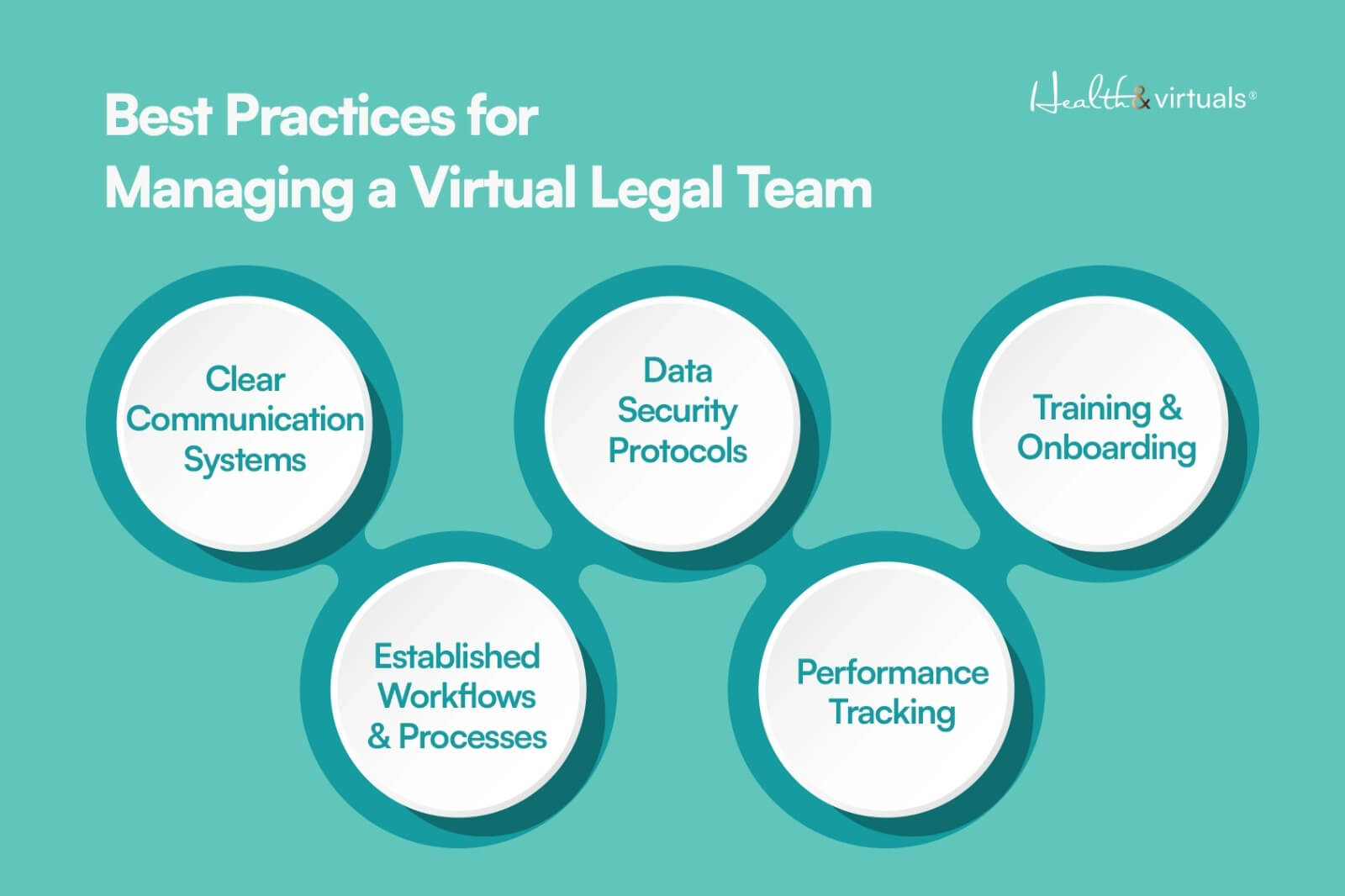


→ Transforms Dead Time into Billable Revenue

All lawyers underestimate the amount of time wasted in admin emails, formatting, and following up. Offloading this has the potential to add approximately 20 billable hours, which directly affects the revenue without necessarily increasing the client base.

→ Cease to Over-staff During Peak Months

The law firms tend to hire during their busiest season and end up paying for that throughout the year. The best virtual legal assistant inverts this- staffing is no longer fixed but variable, which stabilizes cash flow.

→ Reduces the Turnaround Without Straining Lawyers

Cases are faster when research, drafting & documentation are performed simultaneously (rather than consecutively). This will result in increased case throughput without exhausting your main legal team.

→ Access to Special Knowledge 

Require an individual who is familiar with immigration paperwork or IP paperwork? Multi-domain exposure that is realized through virtual teams is difficult to warrant as a permanent employee.

→ Shortens Expensive Onboarding Lag

Hiring internally may require weeks; one report suggests that recruitment of legal personnel requires an average of 27 days. Virtual professionals can begin right away and this implies that there is less momentum lost.


Best Practices for Managing a Virtual Legal Team 

infographics about Best Practices for Managing a Virtual Legal Team 

Law firms should have organized systems and transparent management practices in order to maximize the benefit of virtual legal support.

  1. Clear Communication Systems. A virtual legal team holds meetings through Slack, Zoom, or legal management software on a daily basis. Regular communication minimizes mistakes and engages remote teams in the same direction.
  2. Established Workflows and Processes. They establish standardized processes of activities such as client intake and handling of documents. This guarantees uniformity, effectiveness and reduced operational bottlenecks.
  3. Data Security Protocols. The team adopts an encrypted platform, file sharing, and tight access control. Moreover, confidentiality contracts aid in safeguarding delicate legal and customer information.
  4. Performance Tracking. They establish quantifiable KPIs and measure the progress by checking in regularly. This enhances accountability and assists in sustaining productivity among teams.
  5. Training and Onboarding. They help with onboard assistance and provide a clear onboarding to align assistants to your firm’s workflow. The continuous training provides quality, consistency, and efficiency in the long run.

Future of Law Firms: Remote & Scalable with Legal Assistant Provider in the USA!

The legal sector is becoming more and more digital and decentralized. Virtual legal assistance is not to be considered a short-term solution; it is a long-term plan.

Further innovations in technology, such as AI and automation, will transform the legal workflows. According to some studies, as many as 22 percent of the work performed by a lawyer can be automated, signifying the increasing importance of support systems that are tech-enabled.

In addition, virtual staffing allows companies to access new markets and opportunities, serving their clients across geographical lines.

Those law firms that adopt remote and scalable models will be in a better position to compete in a changing legal environment.


Hire Virtual Legal Assistants to Scale Your Law Firm with Health & Virtuals!

illustration Virtual legal assistant managing client emails and follow-ups to improve responsiveness and service quality.

In case you are aiming at growth, then it is not optional anymore, but strategic to hire virtual legal assistants! 

At Health and Virtuals, we offer the best virtual pool of talent for your law firm. We are a renowned virtual help & legal assistant provider in the USA because we connect you with highly-qualified global talent with:

  • Legal expertise.
  • Strong communication skills.
  • Knowledge of legal software.

By hiring legal assistants with Health & Virtuals into your business, you will have a lean, nimble firm that can grow efficiently.


FAQs

Is it cost-effective to recruit virtual legal assistants?

Yes. Virtual lawyers save on costs such as office rent, benefits, and full-time wages. It is a highly economical option since firms only pay what they require.

Is virtual staffing of legal professionals secure?

When managed properly, virtual legal staffing is secure. The encrypted system, secure communication tools, and high levels of confidentiality are applied by most providers to safeguard sensitive client information.

How does virtual support help grow law firms?

Virtual support enables companies to manage additional cases, enhance efficiency, and cut down on costs. It directly increases billable hours and profitability by liberating the time of attorneys.